
Introducing WP Simple Pay 4.17.0: Your Forms, Your Brand — No CSS Required
Last updated on

Your Payment Forms Should Look Like They Belong on Your Site
You’ve spent hours getting your website just right — the colors, the fonts, the layout. Then a customer clicks “Pay Now” and lands on a payment form that looks… generic. It doesn’t match your brand. It feels like a different website entirely.
With WP Simple Pay 4.17.0, that disconnect is gone. You can now visually customize every aspect of your payment forms — colors, fonts, borders, buttons, and more — without writing a single line of CSS.
Design Beautiful Payment Forms in Clicks, Not Code
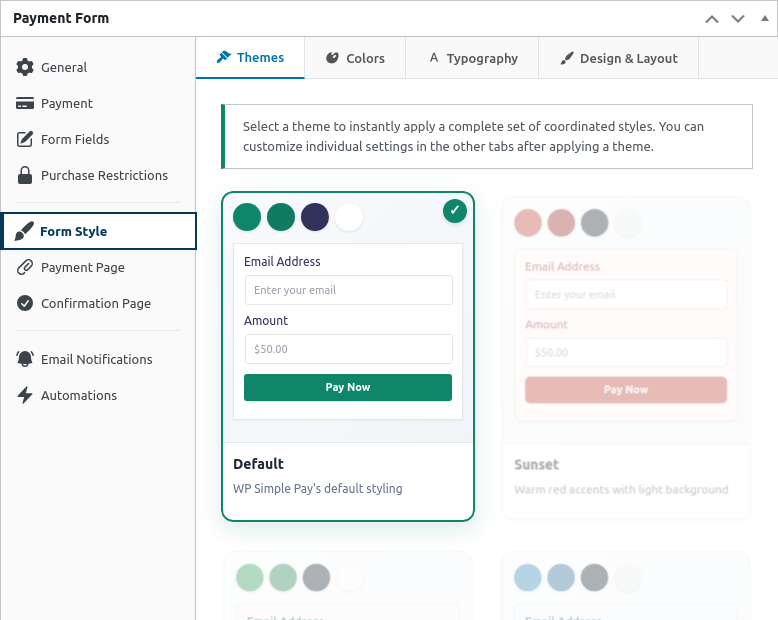
The new Form Style tab in the payment form editor gives you complete visual control over how your forms look. No developer needed. No custom CSS snippets. Just pick, click, and preview.
Start with one of 8 ready-made theme presets — Default, Sunset, Forest, Ocean, Monochrome, Sunshine, Coral, or Minimal — that instantly apply a coordinated color palette to your entire form. Each preset is designed to look great out of the box, so you can have a polished form in seconds.
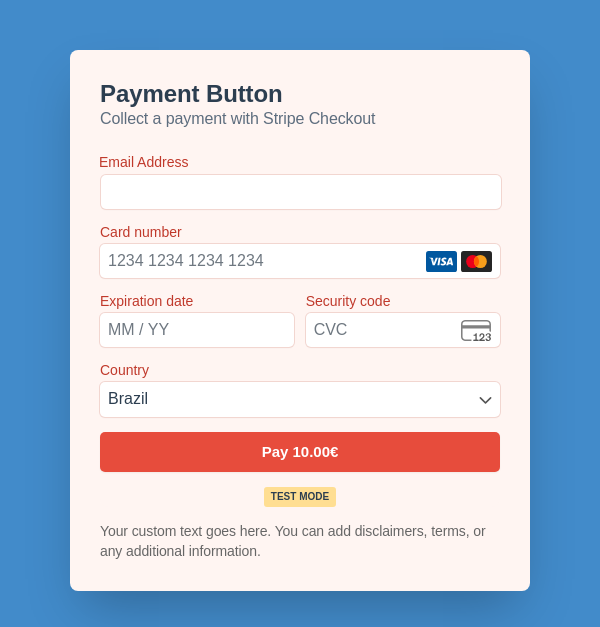
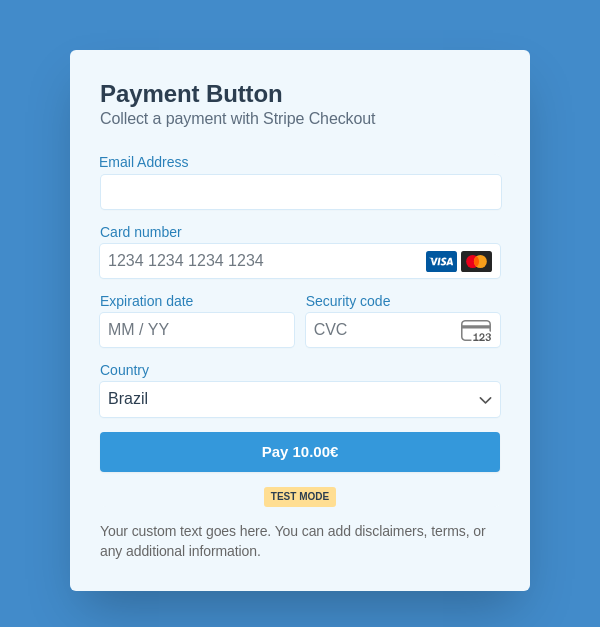
Want to go further? Fine-tune every detail to match your brand exactly:
- Colors — Background, text, labels, inputs, buttons, borders, hover states, and even error messages. Every color picker supports transparency, so you can create layered, modern designs.
- Typography — Adjust font sizes and weights for labels, inputs, titles, descriptions, and buttons.
- Design and Layout — Control border radius for rounded or sharp corners, adjust form padding, and style your buttons with custom background, text, and hover colors.
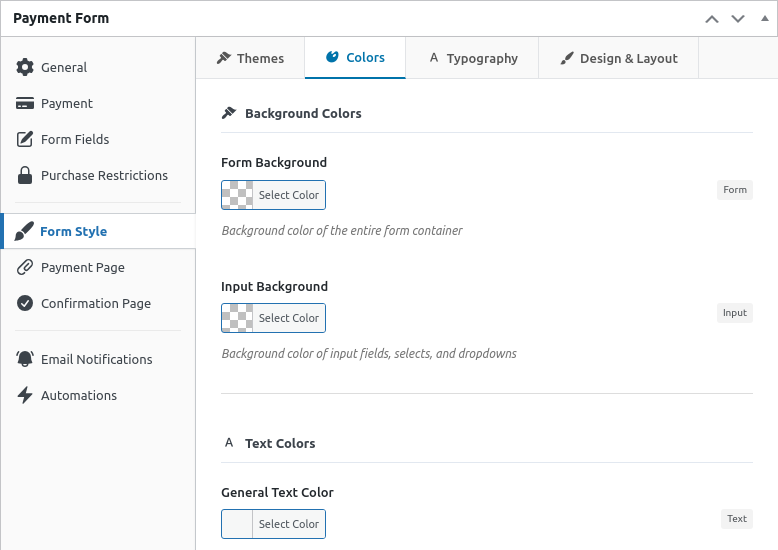
Everything updates in a live preview right in your admin, so you can see exactly how the form will look before you publish. And if you’re building pages in the block editor, your styled forms render correctly there too — true what-you-see-is-what-you-get editing.
Changed your mind? The one-click Reset Styles button takes you back to defaults instantly. For a full walkthrough of every option, check out the Form Style settings reference.
Give Customers a Smoother Checkout Experience
When your form accepts multiple payment methods, how they’re presented matters. A cluttered layout can slow customers down or make them second-guess their purchase.
WP Simple Pay 4.17.0 introduces two new display types for payment methods: Tabs and Accordion.
- Tabs display payment methods side-by-side in a horizontal layout — ideal for forms with just a few options where you want everything visible at a glance.
- Accordion stacks payment methods vertically in collapsible sections — perfect for forms with many payment options, keeping the layout clean and organized.
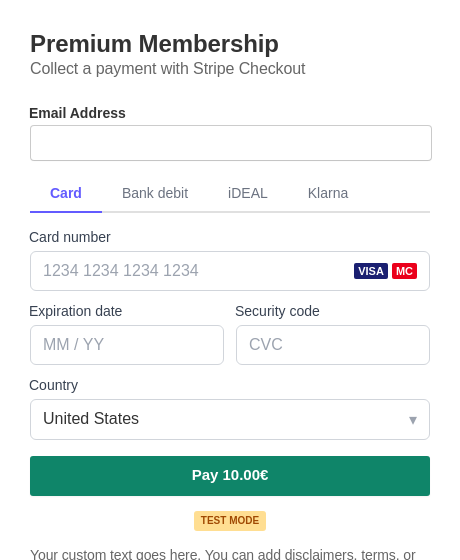
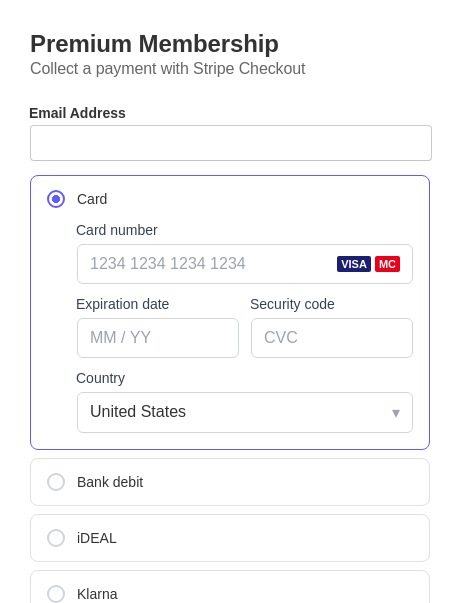
You’ll find this setting in the Payment Methods area of your form editor. Pick the layout that works best for each form — because a donation form and a product checkout form might need different approaches.
More Improvements in This Release
- Stripe compatibility — Updated Stripe integration for improved compatibility with current and future Stripe versions.
- Activity Reports fix — Resolved an issue where the Activity Reports page could crash when Stripe Connect credentials were missing or invalid.
- Form loading fix — Fixed a bug where payment forms with name or email fields could fail to load under certain conditions.
- Subscription fee fix — Corrected fee calculations during subscription status checks.
For the complete list of changes, visit the changelog.
Start Designing Your Perfect Payment Form Today
WP Simple Pay 4.17.0 puts you in full control of how your payment forms look and feel — so they finally match the rest of your site. No code required, no developer needed.
Update to version 4.17.0 from your WordPress dashboard to start using Form Styles, theme presets, and the new payment method layouts right away.
If you have any questions or need help getting started, our documentation and support team are here for you. And as always, we’d love to hear what you’d like to see in future updates.
Happy customizing!
Disclosure: Our content is reader-supported. This means if you click on some of our links, then we may earn a commission. We only recommend products that we believe will add value to our readers.

Leave a Reply