
How to Send Payment Failure Emails
In This Document
Reading time: 4 minutes | Difficulty: Beginner
Overview
WP Simple Pay can send two emails when Stripe reports a failed payment:
- Payment Failure Notification goes to you, the site admin. It is turned on by default.
- Payment Failure Confirmation goes to the customer. It tells them the payment could not be processed, gives the reason, and asks them to check their details and try again. It is turned off by default, so you decide whether customers receive it.
Both emails are sent for failed one-time payments and for failed subscription renewals. A declined card, an expired card on file, or a renewal that runs out of retries no longer goes unnoticed until you check Stripe.
Prerequisites
- WP Simple Pay Pro (any paid license).
- Webhooks set up for your Stripe account. Both emails are sent when Stripe delivers a
charge.failedevent to your site. See Webhooks. - A payment form created with WP Simple Pay. Failed charges that did not come from a WP Simple Pay form do not send these emails.
Step 1: Configure the Admin Notification
- Go to WP Simple Pay → Settings → Emails.
- In the Select an email to configure… dropdown, choose Payment Failure Notification and click Configure.
- Leave Send a notification email to the site admin when a payment fails checked.
- In Send To, enter the address that should receive the alert. It defaults to the site admin email. Separate multiple addresses with commas.
- Edit the Subject and Message if you like, then click Save Changes.
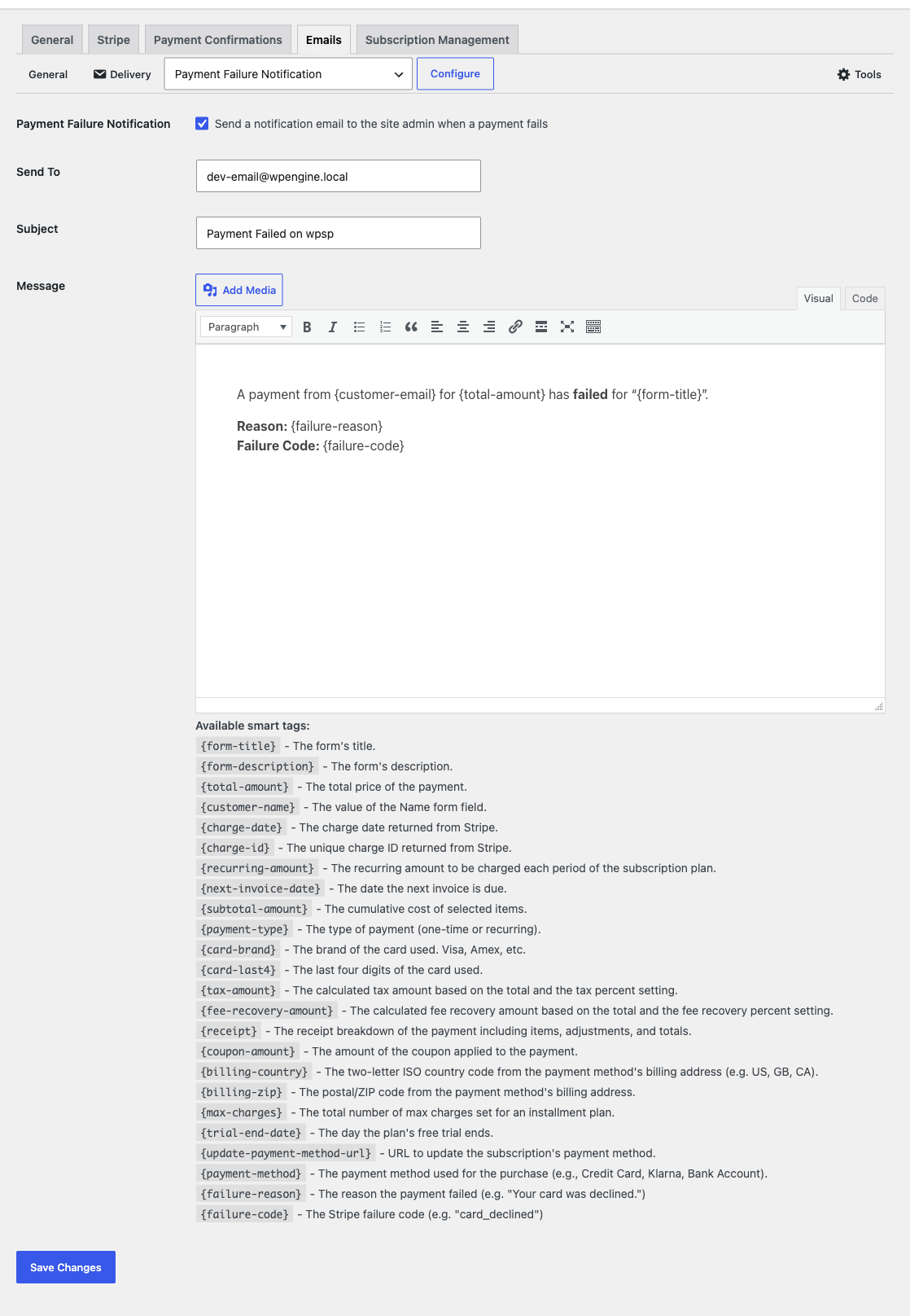
The default subject is Payment Failed on {site name}. The default message includes the customer’s email address, the amount, the form title, the failure reason, and the failure code.
Step 2: Turn On the Customer Confirmation (Optional)
- Go to WP Simple Pay → Settings → Emails.
- Choose Payment Failure Confirmation and click Configure.
- Check Send a confirmation email to the customer when a payment fails.
- Edit the Subject and Message if you like, then click Save Changes.
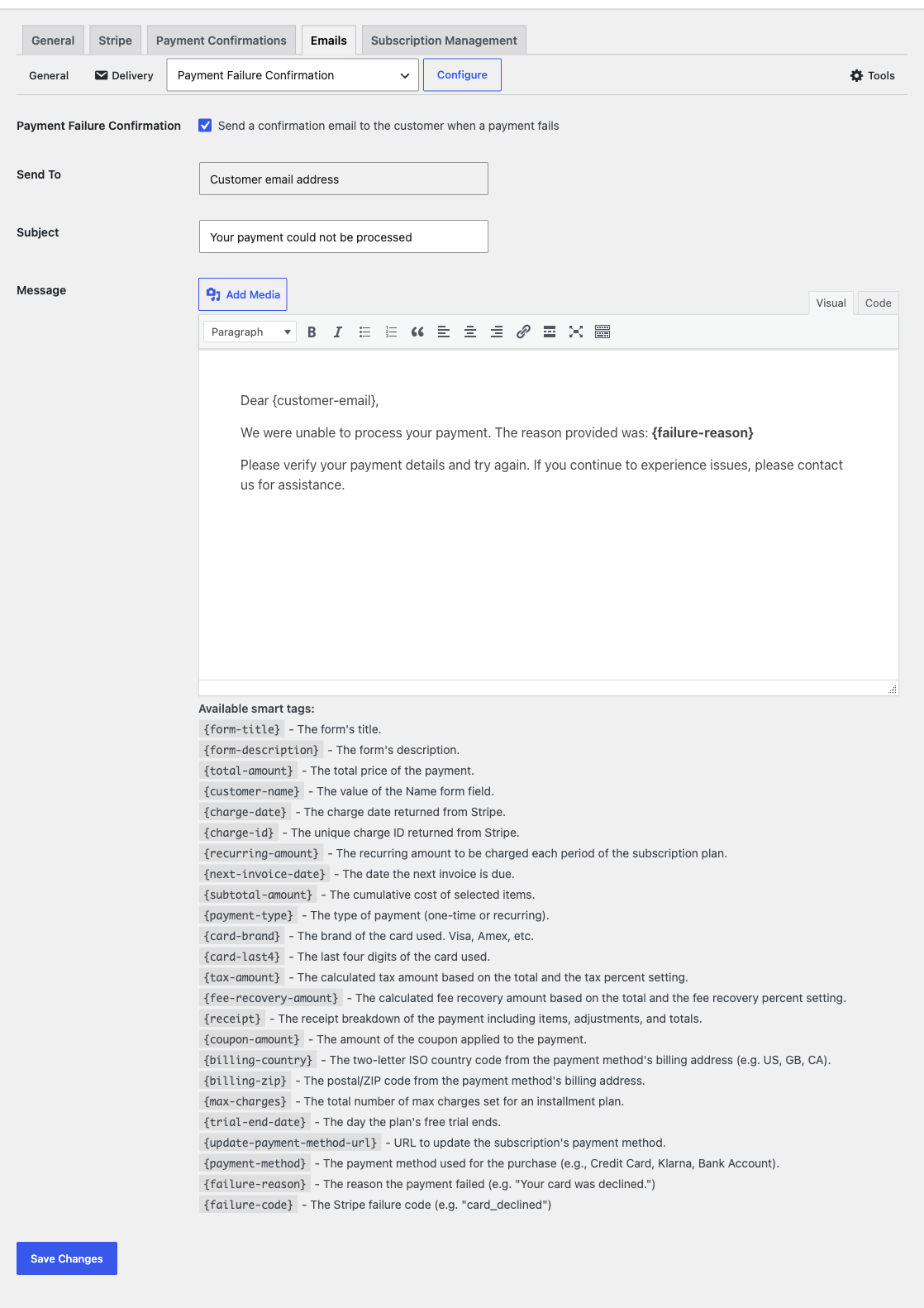
The email is always sent to the customer’s email address, so the Send To field cannot be changed. The default subject is Your payment could not be processed.
Failure Smart Tags
Both emails support the usual smart tags, such as {customer-email}, {total-amount}, and {form-title}, plus two that describe the failure:
| Smart Tag | Example | Description |
|---|---|---|
{failure-reason} |
Your card was declined. | Why the payment failed. |
{failure-code} |
card_declined |
The Stripe failure code. |
In the customer email, {failure-reason} only shows the message meant for customers. It never shows Stripe’s internal notes for the merchant. If Stripe does not give a reason, the customer email says “Your payment could not be processed.” and the admin email says “Unknown”.
Sending Limits
To stop a card testing attack from flooding your inbox, or from using your site to email strangers, each email is sent at most 10 times per form per hour. Failures past that limit are still recorded in Stripe, but no email goes out until the hour has passed.
Developers can change the limit and the time window with these filters:
simpay_payment_failure_notification_email_rate_limitandsimpay_payment_failure_confirmation_email_rate_limitset the number of emails (default10,0turns the limit off).simpay_payment_failure_notification_email_rate_limit_windowandsimpay_payment_failure_confirmation_email_rate_limit_windowset the window in seconds (default one hour).
Each filter receives the current value and the payment form ID. See Adding Custom Code for how to add a filter safely.
// Allow up to 25 admin failure notifications per form per hour.
add_filter( 'simpay_payment_failure_notification_email_rate_limit', function() {
	return 25;
} );
Frequently Asked Questions
Will the customer get an email when their card is declined on the payment form?
Yes, if you turn on the Payment Failure Confirmation. Stripe reports every failed charge, including a decline the customer sees on the form right away. If you only want customers to hear about failures that happen when they’re not on the page, such as subscription renewals, leave the customer email off and handle renewals with Stripe’s own failed payment emails.
Why didn’t I get a failure email?
Check that webhooks are set up and that Stripe shows the charge.failed event as delivered to your site. Then check that the form hasn’t reached the 10-emails-per-hour limit. If neither applies, see Email Receipts and/or Notifications Are Not Being Sent.
Are these emails available in WP Simple Pay Lite?
No. Payment failure emails are part of WP Simple Pay Pro and are available on all paid licenses.
What’s Next?
- Email Types Reference – Every email WP Simple Pay can send
- Using Smart Tags for Confirmation Pages and Emails – All available smart tags
- Webhooks – Make sure Stripe can reach your site
Still have questions? We're here to help!
Last Modified: