Form Style Customization
Match every payment form to your brand with ready-made themes and full control over colors, typography, and layout.

Payment Forms That Look Like Your Brand
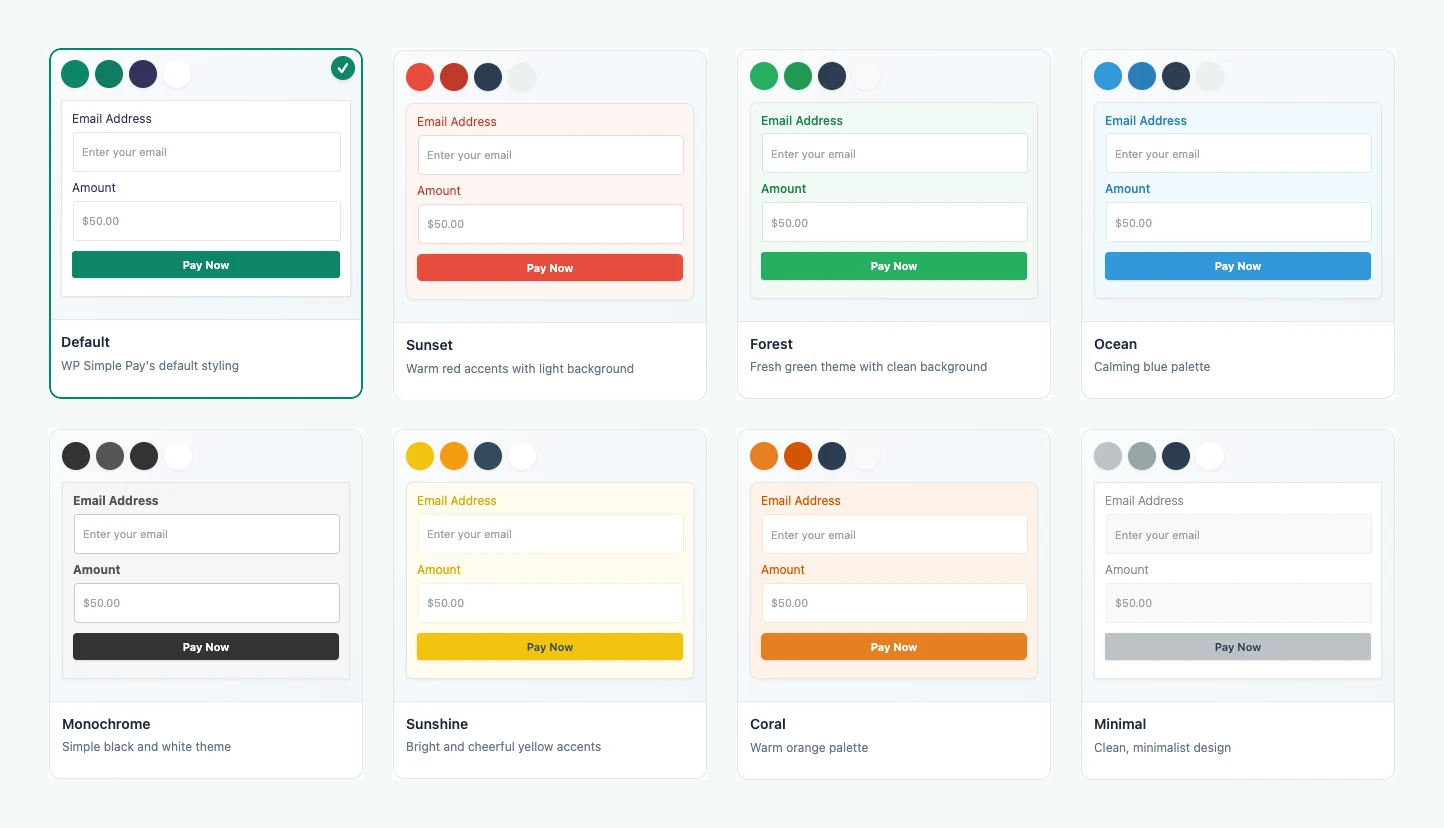
8 Ready-Made Themes
Apply a complete set of coordinated colors in one click, then fine-tune anything you like.
Colors, Fonts, and Spacing
Set colors for backgrounds, text, borders, buttons, checkboxes, and radio buttons. Adjust font sizes and weights, corner rounding, and padding.
See Changes as You Go
A live preview next to each setting shows the effect right away, and the block editor preview matches your form’s style.
Explore More Powerful Features
Advanced Form Builder
Create payment forms with our drag ‘n drop form builder in just a few minutes without writing any code.
Dedicated Landing Pages
Create customizable, distraction-free payment pages without needing to add a new page in WordPress.
Make Every Payment Form Feel Like Part of Your Site
A payment form that doesn’t match your site can make customers hesitate. Form Style lets you change how your forms look without writing CSS, right from the Form Style tab in the form editor.
Start with one of eight themes: Default, Sunset, Forest, Ocean, Monochrome, Sunshine, Coral, or Minimal. Each theme sets the button, accent, text, and background colors together, so everything stays consistent.
Fine-Tune Every Detail

Change label, input, title, and description font sizes and weights. Pick colors for each part of the form, including error states and the button hover color. Round the corners of the form, inputs, and buttons, and add padding around the form.
Styles apply to on-site embedded and overlay forms and to Payment Pages. Form Style is available on Plus, Professional, and Elite plans.