
How to Accept Affirm Buy Now, Pay Later Payments
Affirm is a popular payment method in the US and Canada that gives your customers a way to split purchases over a series of payments. Pay in 4 interest-free installments or in monthly installments of up to 36 months.
Depending on the cart order size, Affirm presents customers with Pay in 4, monthly installments, or both.
- Pay in 4: customers pay for purchases in four or fewer interest-free, bi-weekly payments over an 8 week term.
- Monthly Installments: customers pay for purchases over a longer term of up to 36 months, which might include interest.
Affirm algorithmically presents customers with the options that are most likely to result in the highest conversion, instead of having you choose specific payment options.
For more information, please visit Stripe’s Affirm buy now, pay later docs.
| Payment Method Type | Buy now, pay later |
| Relevant Payer Geography | United States, Canada |
| Presentment Currency | USD, CAD |
| Country Availability | United States, Canada |
| Recurring Payments | No |
| Refunds | Yes |
| Disputes | Yes, by email from Stripe |
| Payment Completion | Standard |
Enable Affirm Payments
Affirm must be activated in the Stripe dashboard to accept payments in Live Mode.
To accept Affirm payments, visit the Payment tab in the payment form builder, and enable Affirm (buy now, pay later).
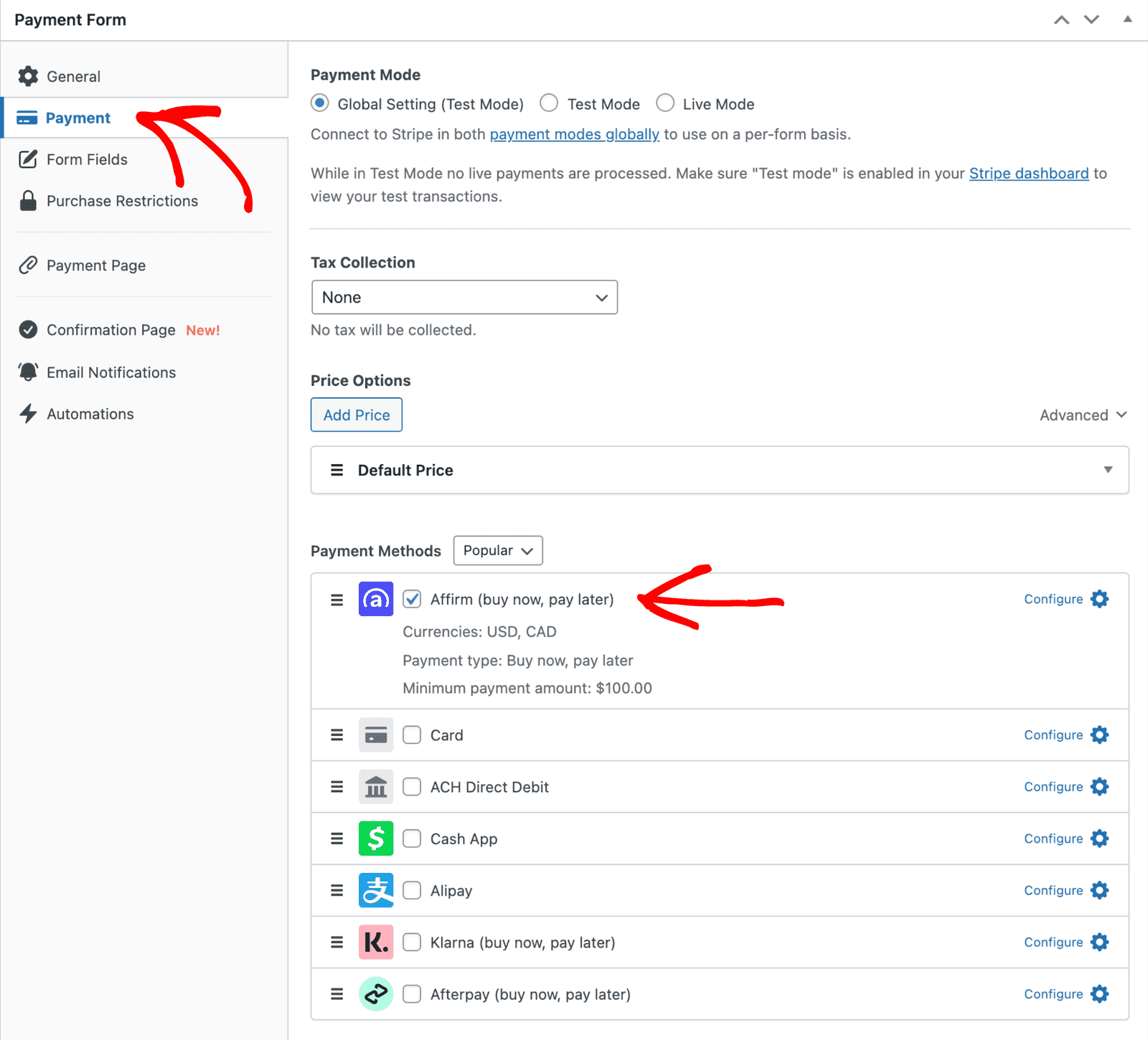
Affirm has a minimum payment requirement of $100
Still have questions? We're here to help!
Last Modified: