
How to Import Prices from Stripe
In This Document
If your Stripe account already has products and prices configured, you may easily import the pricing into WP Simple Pay following these simple steps:
Copying the Price Option ID from Stripe
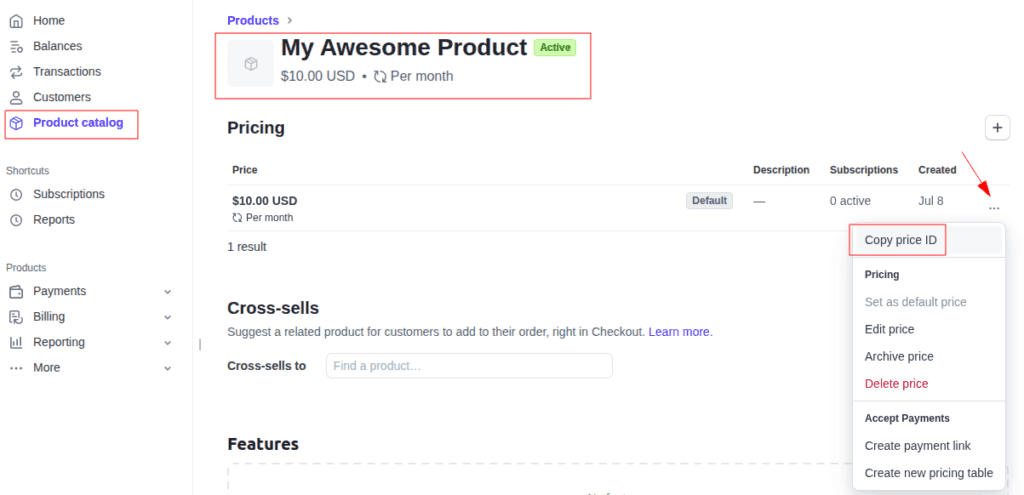
- In your Stripe Dashboard locate your Product catalog.
- Edit the Product you wish to copy Price Options from.
- Open on the Price options and click on “Copy price ID“.
Import the Price Option in WP Simple Pay
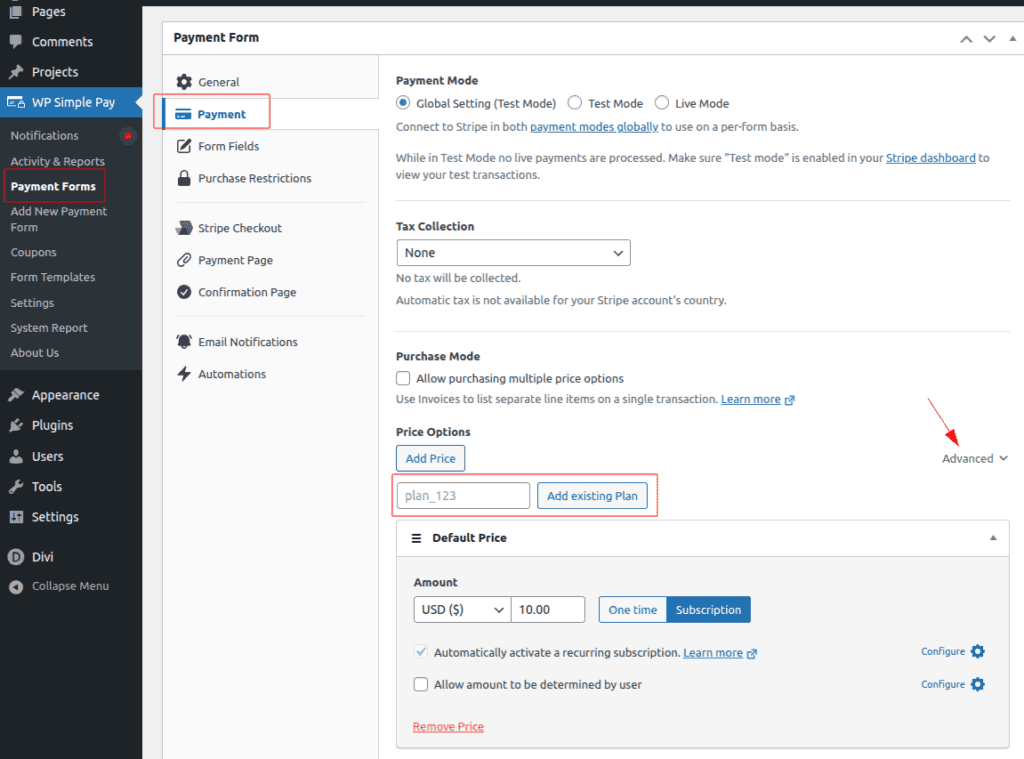
- Open your Payment Form and head into the Payment tab.
- Under Price Options click in Advanced ( right side ).
- Paste the copied Price ID and click on Add existing Plan.
- Your Stripe Price will be copied as a new Payment Form Price Option.
Still have questions? We're here to help!
Last Modified: