
如何将“立即购买,稍后付款”添加到您的WordPress网站
最后更新于

您是否曾遇到过这样的情况:您想购买某件喜欢的东西,但又希望能够稍后分期付款,而不是一次性付清?
这时,您就需要为您的 WordPress 网站添加“先买后付”选项。
遗憾的是,大多数 WordPress 付款设置只允许用户一次性付清全款。但现在,越来越多的购买者在购买诸如辅导课程、活动门票或非营利组织会员资格等高价产品时,期望在结账时能将购买金额分成几笔小额支付。
当没有此选项时,他们不会发邮件询问付款计划。他们会直接离开。
一个快速简便的解决方案是使用 WP Simple Pay 并添加“先买后付”(BNPL)选项。它支持流行的支付提供商,允许您的客户将付款分成几笔小额支付。最棒的是,您无需编辑代码。
在本文中,我们将向您展示如何为您的 WordPress 网站添加“先买后付”功能。
为什么要在 WordPress 网站上添加“先买后付”功能
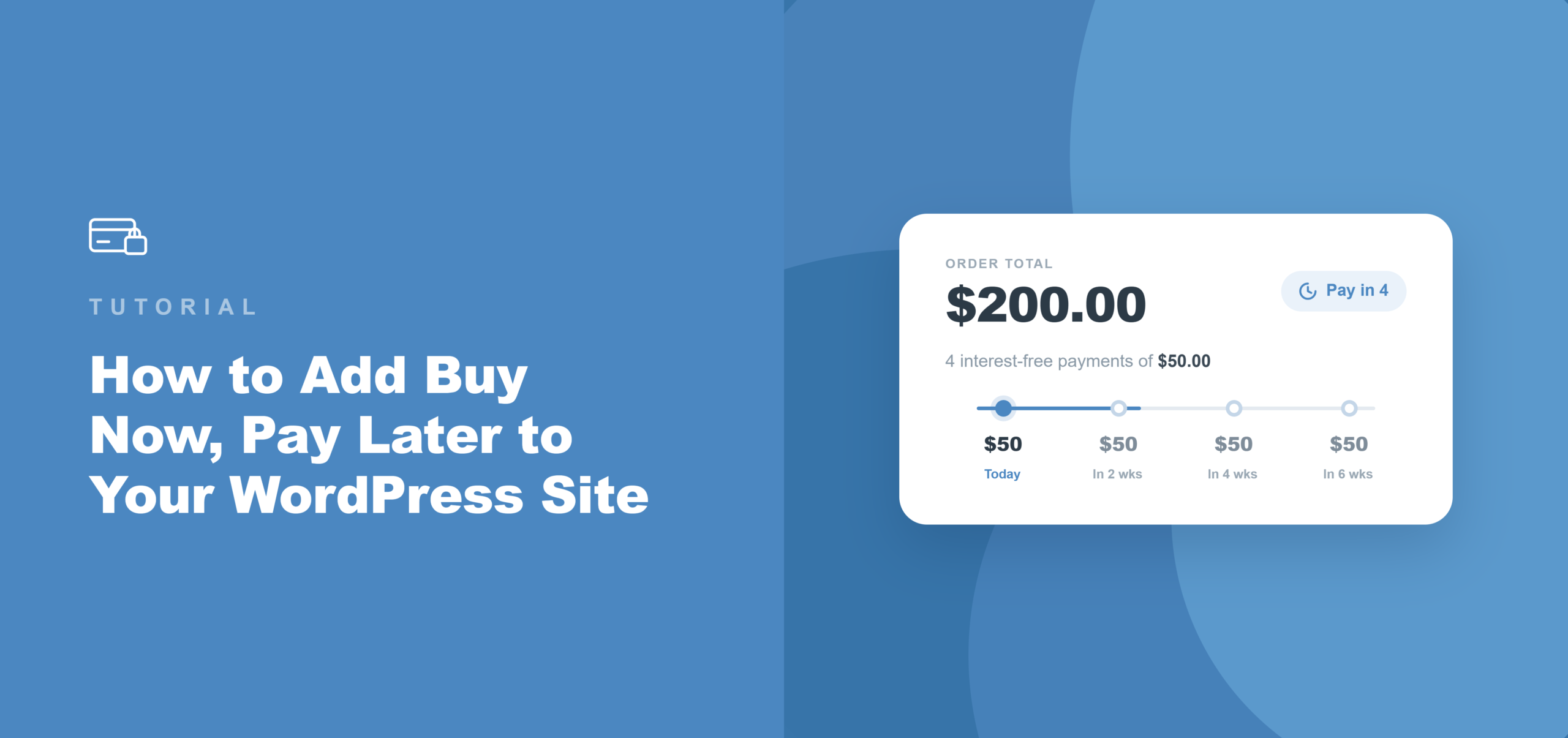
“先买后付”是一种结账支付选项,它允许买家将购买金额分成两到四期,在短时间内支付,而不是一次性支付全款。
买家分期付款;商家则从 Stripe 等支付网关一次性收到全额交易金额。
根据我们的经验,大多数网站所有者低估了缺少付款选项给他们带来的损失。以下是 BNPL 实际带来的改变。
- 无需折扣即可消除价格障碍。 对于那些在 400 美元面前犹豫的买家,当金额分成四笔 100 美元的付款时,他们通常会完成购买。我们看到,网站所有者仅通过添加此选项,就能在较高价位的商品上增加已完成的结账量:收入相同,阻力更小,无需降价。
- 卖家承担零收款风险。 与手动付款计划不同,BNPL 提供商直接负责管理从买家那里收款。Stripe 会立即将全额交易金额存入商家账户,无论买家是否按时支付每一期款项。
- 年轻买家期望此功能。 您知道吗?在千禧一代购物者中,超过四分之一的人在最近一次购买时选择了“先买后付”?当结账时缺少 BNPL 选项,这部分消费者会觉得支付体验不完整——他们会选择返回,而不是寻找其他卡片支付方式。
- 无需单独申请商家账户。 通过大多数平台添加 Klarna 或 Afterpay 需要申请商家计划并等待批准。通过 WP Simple Pay 和 Stripe,这两种方式会根据买家的地区和货币自动激活。卖家唯一需要做的就是在表单构建器中勾选一个框。
话不多说,让我们来看看如何为您的 WordPress 网站添加“先买后付”功能。
将 BNPL 添加到 WordPress 的最佳方式是什么
我们推荐 WP Simple Pay,这是在 WordPress 上接受“先买后付”付款的最简单方法,无需设置购物车。
WP Simple Pay 是 WordPress 的头号 Stripe 支付插件。它允许网站所有者通过拖放式表单生成器接受一次性和定期付款,无需任何代码。
具体来说,对于 BNPL,它通过 Stripe 连接到 Klarna、Afterpay 和 Affirm,适用于 Professional 和 Elite 套餐,商户可预先收到全额交易款项。
以下是它成为本教程合适工具的原因:
- 内置 Klarna、Afterpay 和 Affirm。所有这三个 BNPL 提供商都可以在 Professional 和 Elite 套餐中使用。您无需单独的插件,无需商户申请,也无需在 Stripe 的标准处理费率之外支付额外费用。
- Stripe Checkout 集成。WP Simple Pay 的 Stripe Checkout 表单类型将买家引导至 Stripe 的托管结账页面,在该页面上,BNPL 选项会根据买家的地区和购买金额自动显示。
- 全额预付。Stripe 会立即向商户付款。BNPL 提供商将自行安排从买家处收取分期付款。
- 10 多种支付方式,一个表单。同一个表单可以接受信用卡、Apple Pay、Google Pay、ACH 直接借记和 BNPL。无需为每种方式单独创建表单。
现在,让我们看看如何使用 WP Simple Pay 为 WordPress 添加“立即购买,稍后付款”功能。
步骤 1:安装并激活 WP Simple Pay
BNPL 功能可在 WP Simple Pay 的Professional 套餐及以上版本中使用。要开始使用,请访问WP Simple Pay 网站并注册一个新账户。
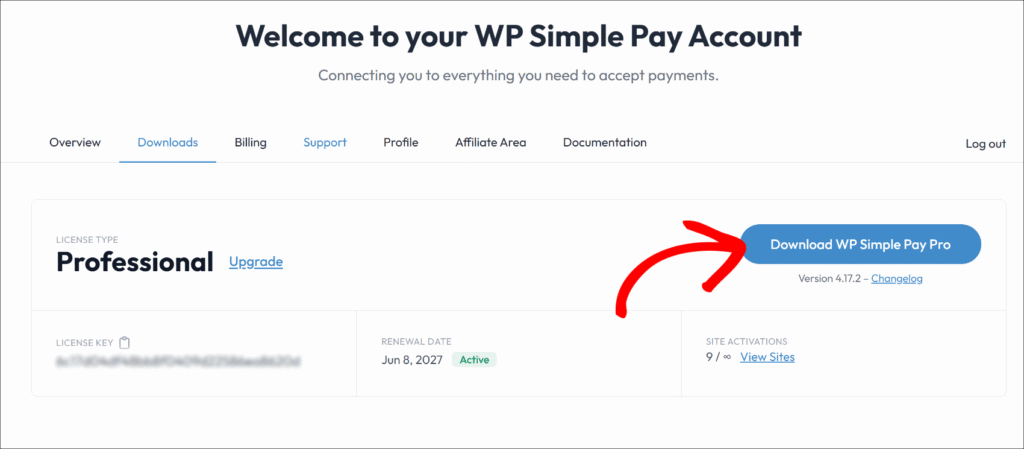
购买完成后,您可以从确认电子邮件或 WP Simple Pay 账户区域的下载选项卡下载插件 .zip 文件。
接下来,您可以将插件文件上传到您的网站,然后激活并安装该插件。
注意:如果您是 WordPress 插件安装新手,请参阅这篇WordPress 插件安装指南,其中详细介绍了安装过程。
插件激活后,设置向导会自动启动。请点击开始设置以完成初始配置。
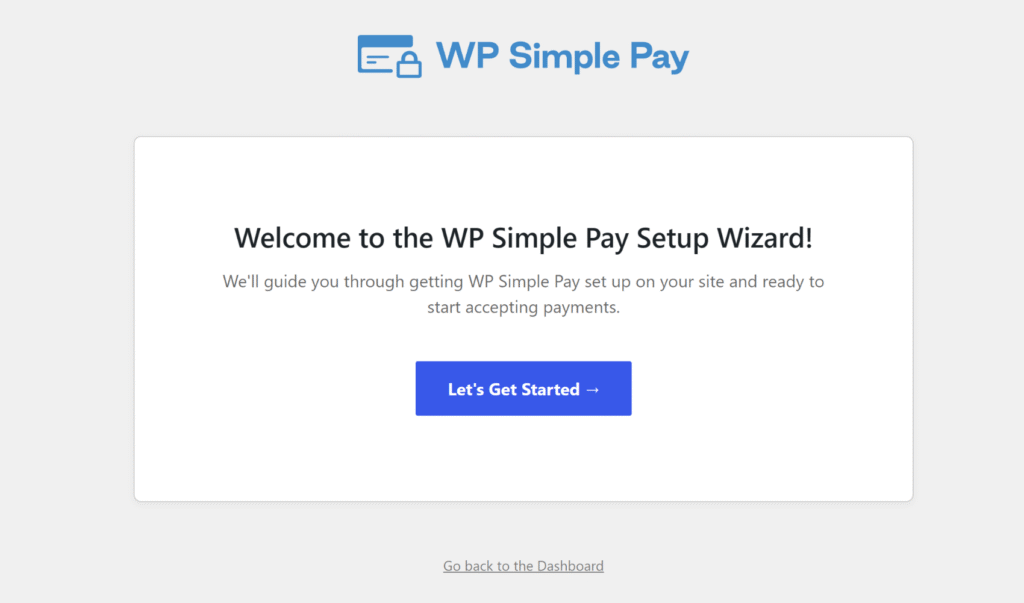
或者,如果向导未出现,请导航至 WP Simple Pay » 设置 » 常规 » 高级 并点击 启动设置向导 按钮。
WP Simple Pay 现已激活。您可以将其连接到 Stripe 了。
第 2 步:将您的 WordPress 网站连接到 Stripe
在设置向导中,您可以点击连接 Stripe。输入您的 Stripe 账户电子邮件地址并完成 OAuth 授权。如果您还没有 Stripe 账户,可以在同一屏幕上创建一个,无需离开 WordPress。
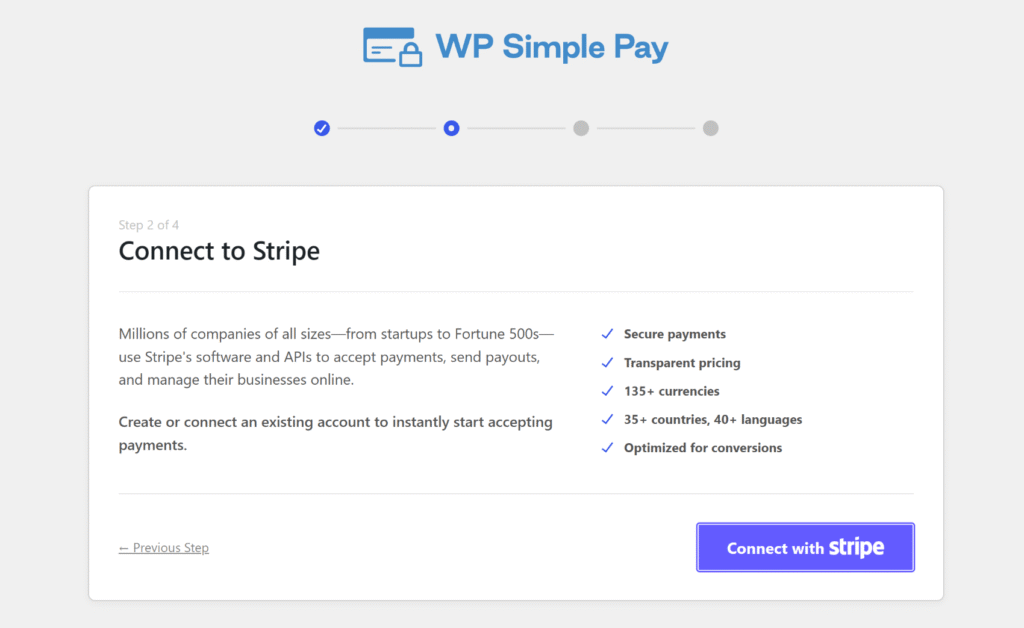
授权连接后,Stripe 会重定向回 WordPress 并显示“设置完成”确认信息。
至此,WP Simple Pay 已与您的Stripe 账户关联,并准备好处理付款了。
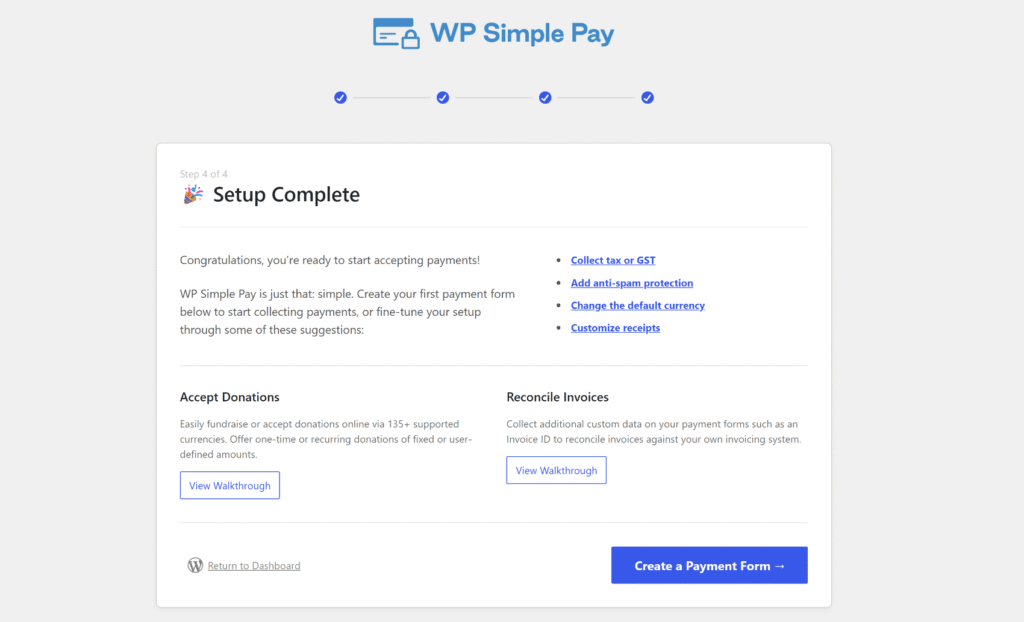
注意:Stripe 会根据买家的所在地和支付币种自动确定 BNPL 的资格。在 Stripe 管理后台,无需为 Klarna、Afterpay 或 Affirm 进行单独的激活步骤。
第 3 步:创建启用了 BNPL 的 Stripe Checkout 付款表单
接下来,您可以创建一个新的付款表单,以便在您的网站上接受 BNPL 付款。
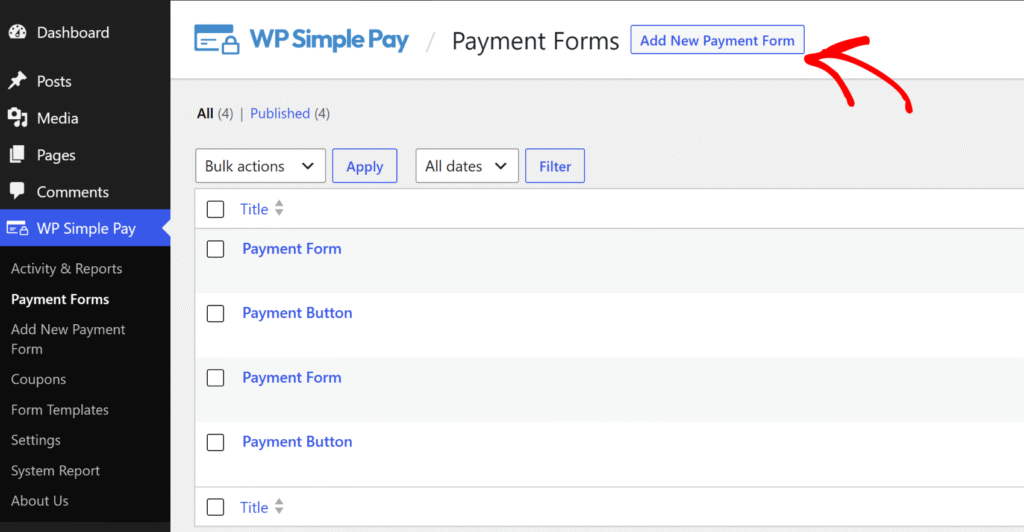
首先,从 WordPress 管理菜单导航到 WP Simple Pay » 付款表单,然后点击“添加新的付款表单”按钮。
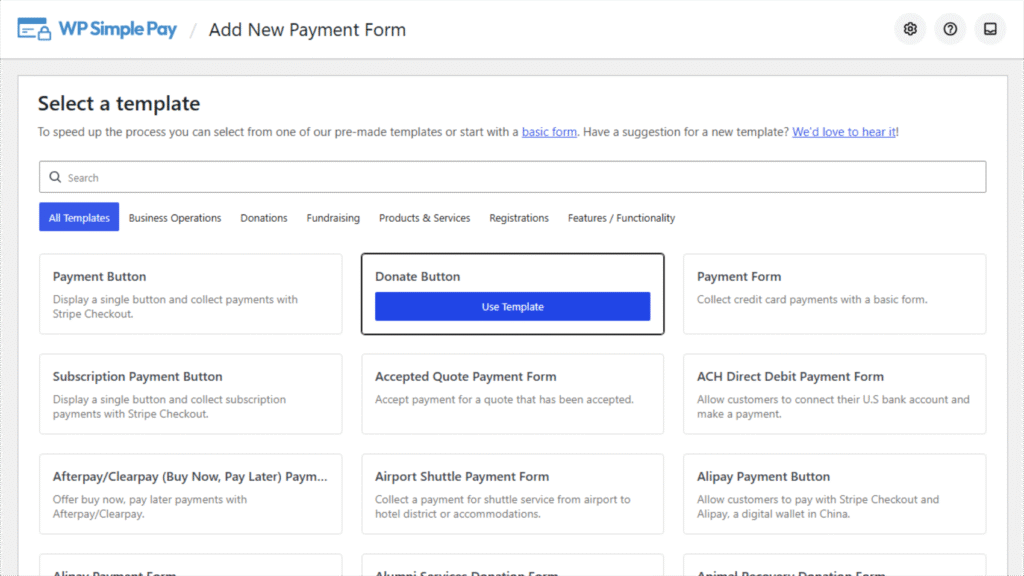
WP Simple Pay 会显示一个预建付款表单模板库。
您可以选择一个用于通用结账的付款表单,或者根据表单的用途,选择一个用例模板,例如用于活动注册的 捐赠按钮 或 订阅付款按钮,或者 趣味跑步注册表单。
在本教程中,我们将使用捐赠按钮来设置一个“立即购买,稍后支付”的付款表单。
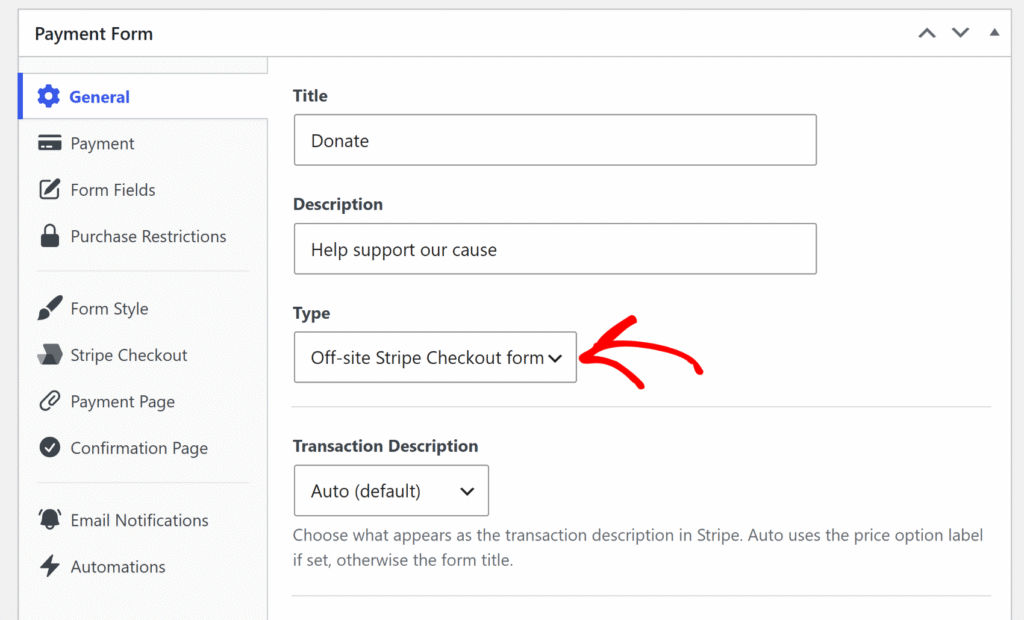
表单构建器打开后,您可以点击常规选项卡。
在此处找到类型字段,然后从下拉列表中选择站外 Stripe Checkout 表单。
此步骤是必需的,因为 BNPL 付款方式仅在 Stripe Checkout 表单上可用,并且除非选择了此选项,否则不会出现在“付款”选项卡中。
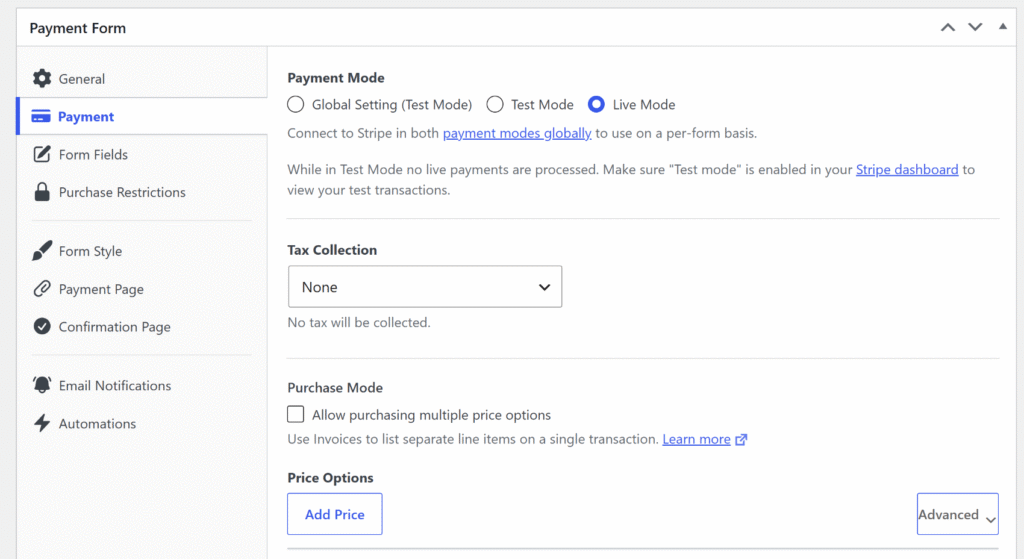
接下来,您可以点击付款选项卡并输入您产品的付款详细信息。
这包括税款收取方式和价格选项(币种、价格以及一次性或订阅付款)。
之后,您可以向下滚动到付款方式列表。
勾选 Klarna(立即购买,稍后支付)、 Afterpay(立即购买,稍后支付)(对于英国的 Stripe 账户,显示为 Clearpay(立即购买,稍后支付))和 Affirm(立即购买,稍后支付)的复选框。
这三者可以同时启用,因为 Stripe 在结账时只会显示对买家所在地区可用的付款方式。
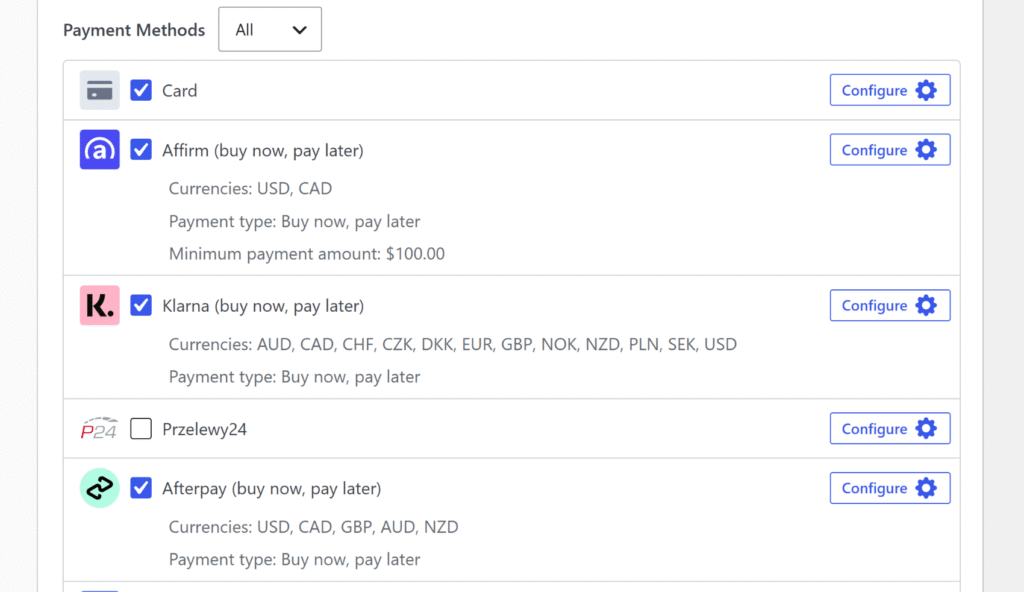
在配置表单时,有几点需要注意:
- Affirm 要求最低消费 100 美元。对于低于 100 美元(或等值加元)的购买金额,Affirm 不会在结账时显示。如果表单价格低于此阈值,请启用 Klarna 和 Afterpay,但取消选中 Affirm。
- Afterpay 对英国商家显示为 Clearpay。如果关联的 Stripe 账户位于英国,WP Simple Pay 在表单构建器中会将该付款方式标记为Clearpay。对于所有其他国家/地区的账户,它显示为Afterpay。在 Stripe Checkout 中,Stripe 会根据买家的所在地独立向其显示正确的品牌。无论哪种情况,都不需要额外的设置。
- 币种会影响可用性。Affirm 仅支持美元和加元。Afterpay 支持美元、加元、英镑、澳元和新西兰元。Klarna 支持 25 多个国家/地区的 12 种币种。请将表单的币种设置为与主要服务市场相匹配。
启用 BNPL 方法后,您可以点击 发布。
第 4 步:嵌入和测试 BNPL 付款表单
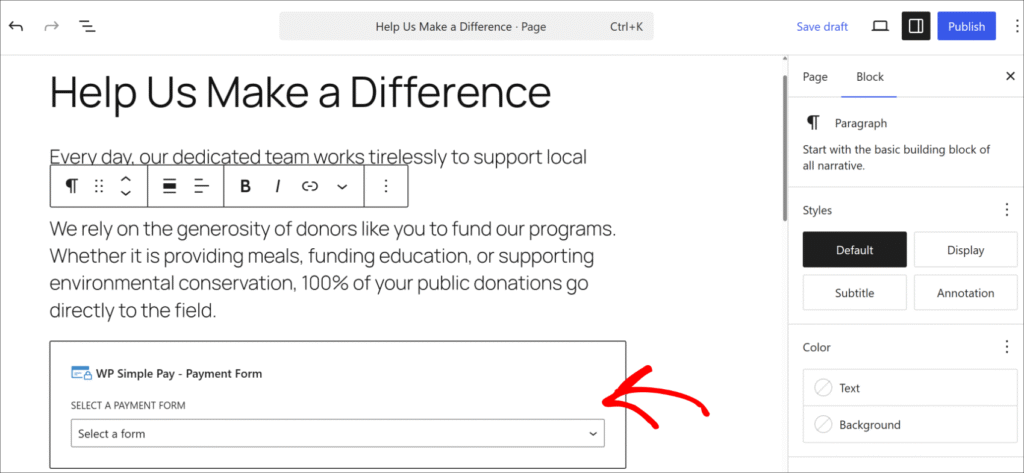
现在,您可以使用 WordPress 内容编辑器中的 WP Simple Pay – 付款表单区块,将已发布的表单添加到 WordPress 页面或帖子,或者粘贴简码。
首先,编辑您希望显示“先买后付”付款选项的页面,或创建一个新页面。然后点击 + 按钮并添加“WP Simple Pay – 付款表单”区块。
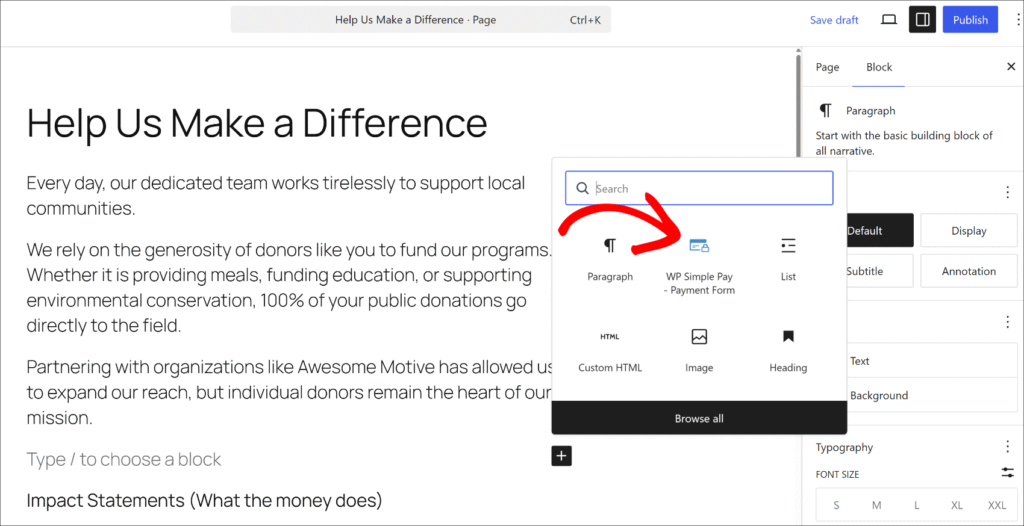
接下来,您可以在区块的下拉菜单中选择您刚刚创建的表单。
完成后,请 发布 该页面。
接下来,在新浏览器窗口中打开它,以确认表单已显示。
在 Stripe 仍处于测试模式的情况下,点击已发布页面上的付款按钮。Stripe Checkout 窗口将打开,显示可用的 BNPL 选项以及标准的卡片字段。要测试 BNPL 方法,请从付款选项中选择 Klarna(或 Afterpay)并完成模拟的 BNPL 流程。不会收取实际付款。

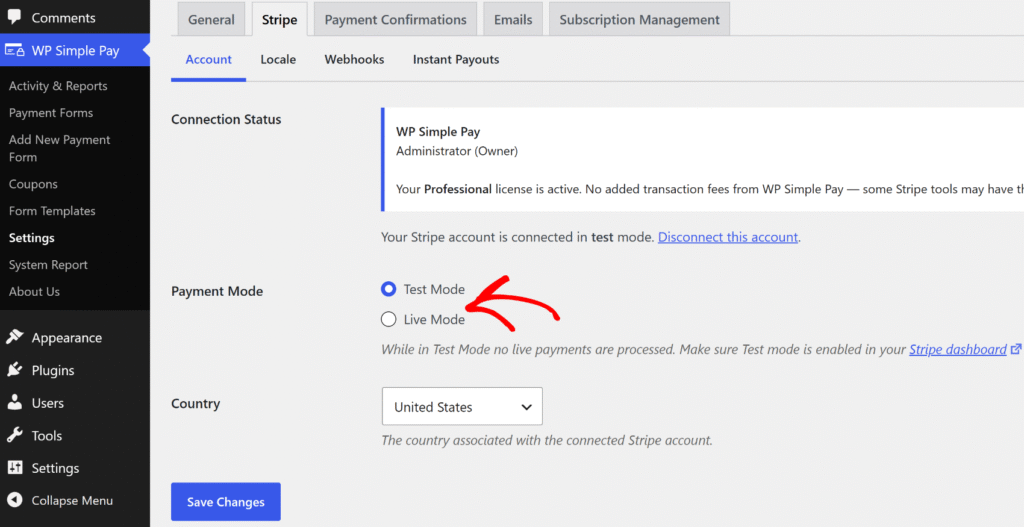
完成测试付款后,您可以将其从测试模式更改为实时模式。
只需返回 WP Simple Pay » 设置 » Stripe,然后从 测试模式切换到 实时模式,即可开始接受真实付款。
奖励:为高价商品添加分期付款计划
BNPL 允许买家通过 Klarna 或 Afterpay 的分期付款计划拆分购买。对于希望完全控制分期付款结构(例如特定金额、特定间隔和定义的收费次数)的网站所有者来说,WP Simple Pay 的分期付款计划功能是合适的工具。
通过分期付款计划,您可以设置付款次数、间隔和每次收费的金额。Stripe 会处理每次自动收费,直到计划完成。
买家在结账时会清楚地看到结构(例如,“4 次付款,每次 250 美元”),并且在最后一次收费后,账单会自动停止,无需取消订阅。
关于“先买后付”的常见问题解答
1. WP Simple Pay 支持哪些“先买后付”提供商?
WP Simple Pay 通过 Stripe 支持 Klarna、Afterpay(在英国称为 Clearpay)和 Affirm。这三者都可在 Professional+ 套餐中使用,并根据买家的地区和货币自动显示在 Stripe Checkout 表单上。其中任何一个都不需要单独的商家申请。
2. “先买后付”是否适用于 WP Simple Pay 中的定期付款?
否 — BNPL 仅适用于一次性付款表单。订阅和定期付款表单不支持 Klarna、Afterpay 或 Affirm。对于具有自动分期收费的灵活高价定价,WP Simple Pay 的分期付款计划功能专为此用例设计。
3. 买家需要账户或应用程序才能使用 Klarna 或 Afterpay 吗?
买家无需单独的应用或账户即可在结账时使用 BNPL。Klarna 和 Afterpay 在购买时会在 Stripe Checkout 流内直接处理其简短的入驻流程。该过程会增加几秒钟的时间,而不是完整的注册障碍。
4. WP Simple Pay 中使用 BNPL 是否有最低购买金额?
Affirm 要求最低购买金额为 100 美元,并且低于该门槛的金额将不会在结账时显示。Klarna 和 Afterpay 在 WP Simple Pay 中没有插件级别的最低要求,尽管 Stripe 和各个 BNPL 提供商可能会根据地区和金额应用其自身的资格规则。
5. WP Simple Pay 中哪些国家/地区支持“先买后付”?
Klarna 在 25 多个国家/地区可用,包括美国、英国、澳大利亚、加拿大和欧洲大部分地区。Afterpay (Clearpay) 支持澳大利亚、加拿大、法国、爱尔兰、意大利、新西兰、西班牙、美国和英国。Affirm 仅支持美国和加拿大。Stripe 仅显示每个买家所在地可用的付款方式,因此无需按国家/地区进行手动配置。
开始使用 WordPress 中的 BNPL 付款表单
使用 WP Simple Pay,在 10 分钟内即可为 WordPress 付款表单添加 Klarna、Afterpay 和 Affirm。
无需单独的商家协议、代码或购物车。买家在结账时会看到与其所在地区匹配的 BNPL 选项,并且全额付款将立即进入 Stripe 账户。
希望本文能帮助您了解如何为您的 WordPress 网站添加“先买后付”功能。您可能还想查看我们关于如何在 WordPress 中接受 Google Pay 和 Apple Pay以及嵌入式、叠加式和 Stripe Checkout 表单之间的区别的指南。
准备好开始接受“先买后付”付款了吗?立即开始使用 WP Simple Pay。
要阅读更多此类文章,请在 X 上关注我们。
披露:我们的内容由读者支持。这意味着如果您点击我们的一些链接,我们可能会赚取佣金。我们只推荐我们认为能为读者带来价值的产品。
留下回复