
如何完成Stripe的巴西验证要求
最后更新于

您是否想知道巴西用户的新 Stripe 验证要求是什么?
想象一下,一位巴西 WordPress 网站所有者早上打开他的仪表板,发现网站上所有的 WP Simple Pay 付款表单都拒绝了交易。根据我们的经验,这通常是 Stripe 因缺少验证步骤而限制该账户的第一个迹象。
这些是 Stripe 在巴西生效的验证要求。2026 年 4 月 27 日生效的“了解您的客户”(KYC) 规定要求所有巴西 Stripe 账户持有人提交 CPF 或 CNPJ,完成活体检测,并确认收入详情。Stripe 会限制尚未完成这些步骤的任何连接账户的付款处理。
在本文中,我们将逐步向您展示如何完成 Stripe 的巴西验证要求,以便您的付款表单尽快恢复处理。
Stripe 的巴西验证要求是什么?
Stripe 现在要求所有巴西连接账户持有人在继续在线处理付款之前验证其身份。该要求包括三个步骤:提交 CPF(针对个人)或 CNPJ(针对注册企业),完成活体检测,以及提供每月收入估算。
CPF 是 Cadastro de Pessoas Físicas 的缩写,是巴西税务局 (Receita Federal) 签发的 11 位个人税号。CNPJ 是 Cadastro Nacional da Pessoa Jurídica 的缩写,是法人实体使用的 14 位企业注册号。
活体检测是一项简短的、基于浏览器的身份验证,在任何带摄像头的设备上大约需要两分钟即可完成,无需下载应用程序。收入估算是一个范围选择,Stripe 用于合规报告,而非定价。
此要求适用于在巴西注册的任何 Stripe 账户,无论使用何种付款插件。由于 WP Simple Pay 通过 Stripe Connect 将 WordPress 网站直接连接到 Stripe,因此任何未完成验证的巴西账户的付款处理都将被限制,直到完成验证为止。
有关完整的技术要求,请参阅Stripe 的巴西要求文档。
完成 Stripe 的巴西验证为何重要
我们曾遇到过账户处理中断数周的情况,因为网站所有者在注意到之前错过了 Stripe 的通知。以下是这些新的验证要求对巴西用户产生的影响。
- 结账时付款停止。 当 Stripe 限制一个连接账户时,网站上的所有付款表单在结账时都会拒绝交易,无论付款方式或表单类型如何。客户会看到一个没有解释的错误,销售因此丢失。
- 定期订阅中断。 与受限账户绑定的有效 Stripe 订阅将无法续订,客户可能会收到 Stripe 的付款失败通知。辛辛苦苦建立起来的经常性收入会毫无预警地消失。
- 插件层面不存在变通方法。由于限制源于 Stripe 账户本身,因此 WP Simple Pay 中的任何设置都无法覆盖它。切换表单类型、更新付款方式或重新安装插件都无济于事,因此修复方案需要在 Stripe 中进行,而不是在 WordPress 中。
- 每延迟一天都会损失您无法挽回的收入。在此限制期间的失败交易在事后无法挽回。账户未经验证的时间越长,永久损失的付款就越多。
话虽如此,验证过程本身在 Stripe Dashboard 中需要 10-20 分钟。您需要执行以下操作。
在您的 Stripe Dashboard 中完成 Stripe 的巴西验证
要完成验证,您可以登录您的 Stripe 账户并转到“账户详情”以打开验证流程。
打开后,您需要提供以下文件和信息以供验证:
- 提交您的 CPF 或 CNPJ。个人账户持有人需要提交其 CPF,即巴西联邦税务局签发的 11 位数字的个人税号。另一方面,注册为法人实体的企业账户则提交其 CNPJ,即 14 位数字的企业注册号。Stripe 也可能在 KYC 流程中要求提供主要企业所有者的 CPF。
- 提交税务 ID。为进行验证,Stripe 也可能要求您提交税务 ID。
- 完成活体验证。提交税务 ID 后,Stripe 会启动基于浏览器的身份检查,这是一个简短的摄像头确认,在任何带摄像头的设备上大约需要两分钟。无需下载应用程序,检查完全在浏览器中运行。
- 确认您的月收入估算。Stripe 会询问您每月支付处理量的范围估算。选择最适合您业务的范围,因为此信息用于监管合规报告,并且不会影响您的 Stripe 费用。
提交所有三个步骤后,Stripe 将开始审核。大多数账户将在 24 小时内获得批准,并在审核完成后立即恢复付款。
要了解所需文件和信息的完整列表,请参阅 Stripe 上关于所需验证信息的指南。
现在,让我们看看如何在不设置购物车的情况下在 WordPress 中接受 Stripe 付款的简单方法。
如何在 WordPress 中接受 Stripe 付款
在没有购物车的情况下在 WordPress 网站上运行 Stripe 付款的最简单方法是使用WP Simple Pay。
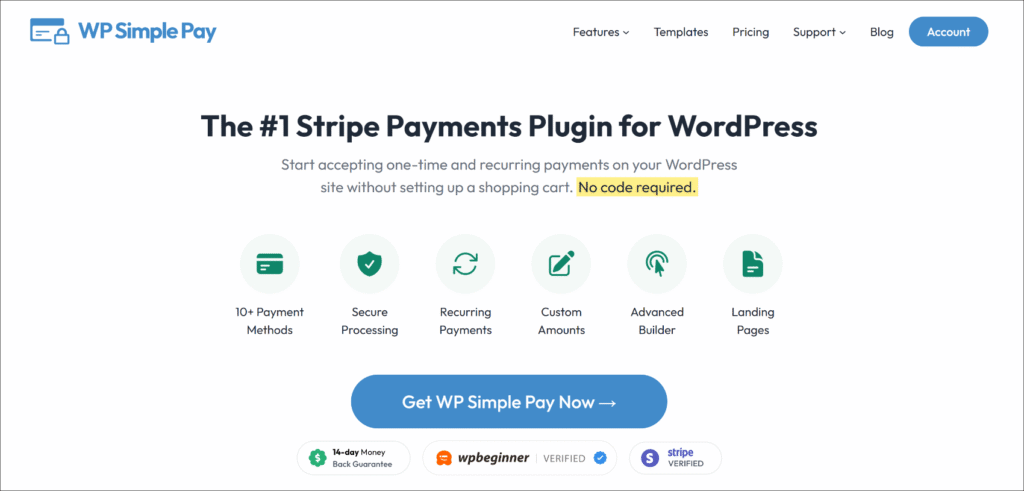
WP Simple Pay 是排名第一的WordPress Stripe 付款插件。它使自由职业者、小型企业、非营利组织和课程创建者能够在几分钟内直接在其网站上接受一次性和经常性付款。
最棒的是,它在不设置购物车、不编写任何代码、也不在 Stripe 标准处理成本之上支付额外 3% 插件费用的情况下即可完成。
以下是 WP Simple Pay 提供的一些出色功能:
- 引导式 Stripe 连接 — WP Simple Pay 的设置向导直接在仪表盘内将您的 WordPress 网站连接到 Stripe,引导您完成完整的 Stripe Connect 身份验证流程。
- 一次性付款和定期付款 — 使用相同的拖放式表单构建器构建服务、订阅、捐赠和注册的付款表单,无需其他工具。
- 10 多种付款方式 — 接受信用卡、Apple Pay、Google Pay、数字钱包等,所有这些都可以在同一个表单中管理,无需额外配置。
- 无额外 3% 插件费用 — WP Simple Pay Pro 取消了许多其他 Stripe 插件在 Stripe 标准处理费用之上收取的额外交易费用。
要开始,您可以访问 WP Simple Pay 网站并注册适合您网站的套餐。
立即开始接受付款
在您的WordPress网站上开始接受一次性付款、定期付款或捐赠。
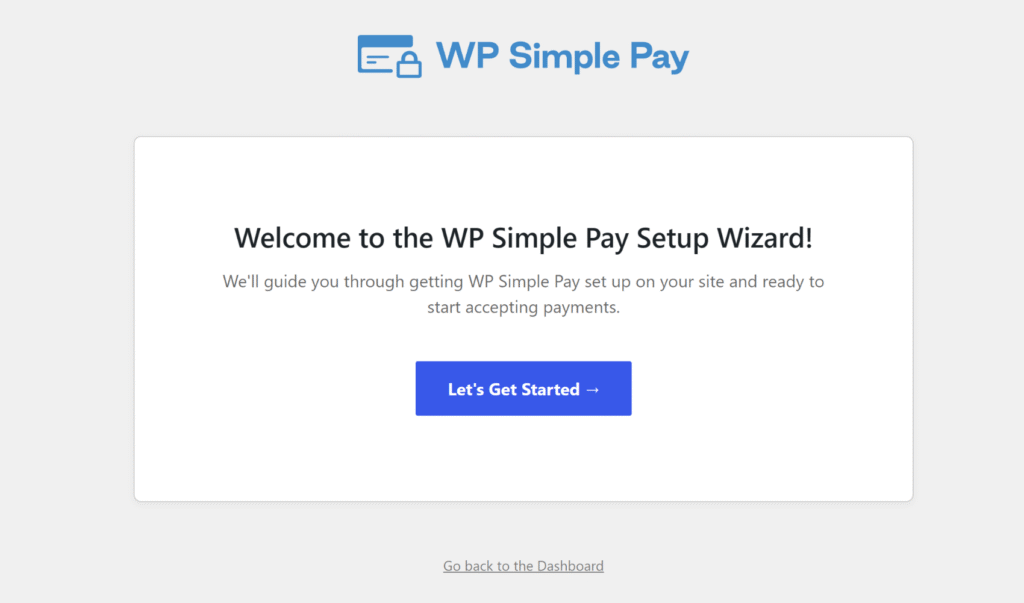
完成后,您可以使用设置向导快速在您的网站上进行设置。
只需按照屏幕上的说明将 Stripe 连接到您的网站即可。
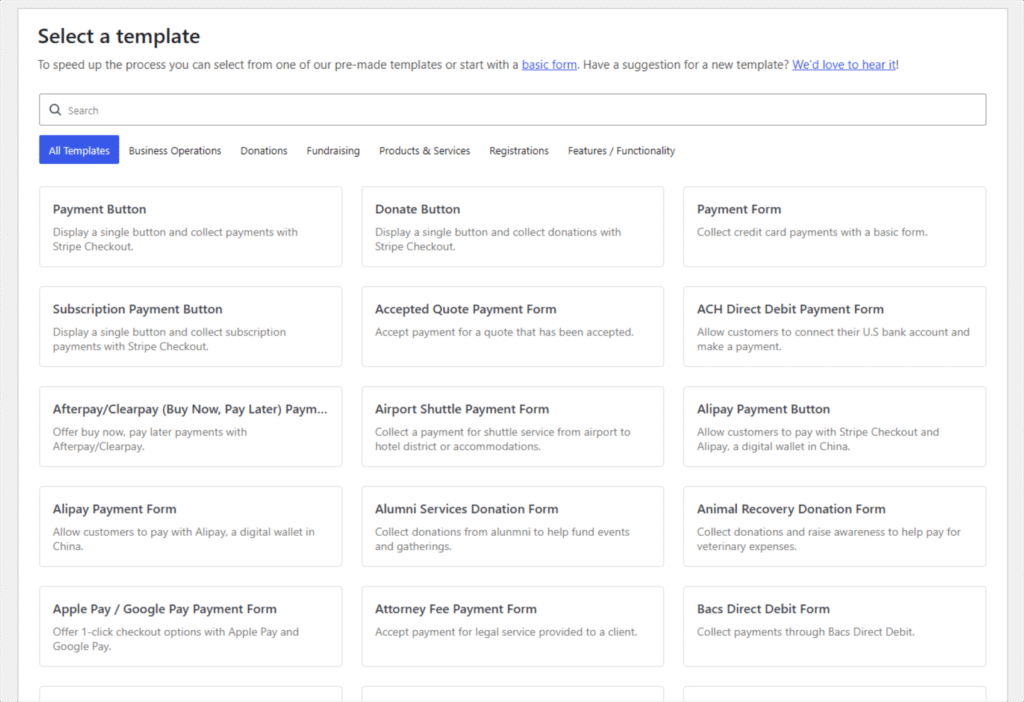
使用 WP Simple Pay,您可以向您的网站添加不同的付款表单。
它提供了预制模板,让您可以快速选择付款表单并根据您的要求进行编辑。
接下来,您将在拖放式表单构建器中获得许多自定义选项。
例如,WP Simple Pay 允许您添加不同的表单字段并重新排列它们。
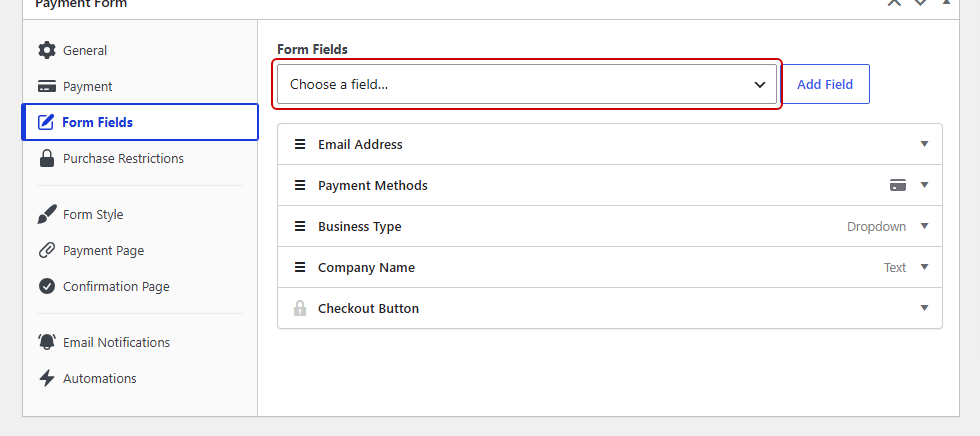
付款表单准备好后,您可以将表单嵌入到您网站的任何位置。
该插件提供了可以在帖子或页面中放置的块,或者使用短代码来显示表单。
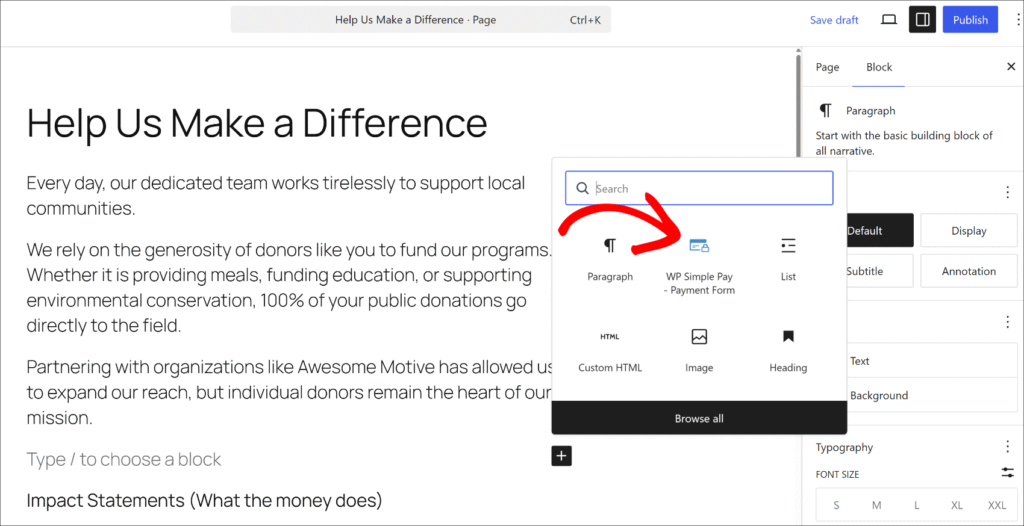
要了解更多信息,请参阅我们关于如何在 WordPress 上接受 Stripe 付款的指南。
测试您的 WP Simple Pay 付款表单
Stripe 批准验证后,您现有的实时表单将自动恢复。
为确认一切正常,请进行一笔小的实时交易或使用 Stripe 的测试卡 4242 4242 4242 4242 进行测试模式,然后检查 WP Simple Pay » 活动与报告。
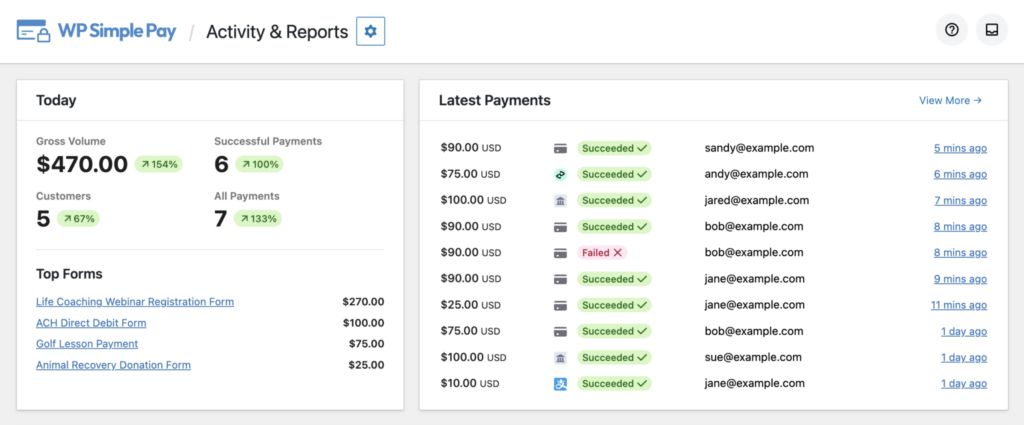
如果付款成功,则表示验证已成功,并且您的付款表单现在运行正常。
Stripe 巴西验证要求常见问题解答
1. 如果我未完成 Stripe 的巴西验证会怎样?
Stripe 将限制已连接的帐户处理付款,直到验证完成。这意味着网站上所有 WP Simple Pay 付款表单都将拒绝交易,并且活动订阅将无法续订。
没有部分限制。帐户要么通过验证并恢复处理,要么保持暂停状态,直到完成所有步骤。
2. Stripe 的巴西验证是否会影响所有 WP Simple Pay 用户?
只有在巴西注册 Stripe 帐户的用户才需要完成此验证。如果 Stripe 帐户位于巴西境外,则此要求不适用。
触发因素是 Stripe 帐户注册的国家/地区,而不是 WordPress 网站或 WP Simple Pay 安装的位置。
3. Stripe 的巴西验证需要多长时间才能完成?
Stripe 后台的验证流程通常需要 10–20 分钟。一旦准备好身份证号,CPF 或 CNPJ 的提交是即时的,而使用带摄像头的设备进行活体检测大约需要两分钟。
提交后,Stripe 的审核通常在 24 小时内完成,一旦获批即可恢复付款。
4. 如果 Stripe 的巴西验证失败,我该怎么办?
Stripe 会发送包含具体原因的错误通知,原因可能包括 CPF 状态无效、Stripe 账户与税务登记记录不匹配,或活体检测失败。请登录 Stripe 后台,按照屏幕上的说明重新提交。
对于持续存在的错误,请直接通过后台的帮助小部件联系 Stripe 支持。
一旦 Stripe 的巴西验证完成,您的 WP Simple Pay 付款表单将能够再次不间断地处理交易,这是 Stripe 现在要求所有巴西连接账户遵守规定的一次性步骤。
希望本文能帮助您了解如何完成 Stripe 的巴西验证要求。您可能还想查看我们关于 如何处理失败的定期付款 和 9 步设计完美的付款表单 的指南。
准备好在您的 WordPress 网站上接受 Stripe 付款了吗?立即开始使用 WP Simple Pay。
要阅读更多此类文章,请在 X 上关注我们。
披露:我们的内容由读者支持。这意味着如果您点击我们的一些链接,我们可能会赚取佣金。我们只推荐我们认为能为读者带来价值的产品。

留下回复