
Cómo configurar y usar el Portal de Clientes de Stripe
En este documento
El portal de clientes de Stripe es una página alojada por Stripe que permite a tus clientes gestionar sus suscripciones y detalles de facturación.
Ajustes de Stripe
El Portal de Clientes de Stripe debe configurarse tanto para el modo en vivo como para el modo de prueba dentro del Panel de Control de Stripe si deseas probar el Portal antes de publicarlo.
No todos los ajustes son compatibles con WP Simple Pay. Los siguientes ajustes se pueden utilizar:
- Actualizar suscripciones, incluyendo la mejora, reducción y cambio de las cantidades de sus suscripciones
- Cancelar suscripciones, inmediatamente o al final de un período de facturación
- Actualizar métodos de pago como añadir y eliminar tarjetas
- Ver historial de facturas
- Actualizar información de facturación, como su dirección de correo electrónico, número de teléfono y dirección de envío
Ajustes de WP Simple Pay
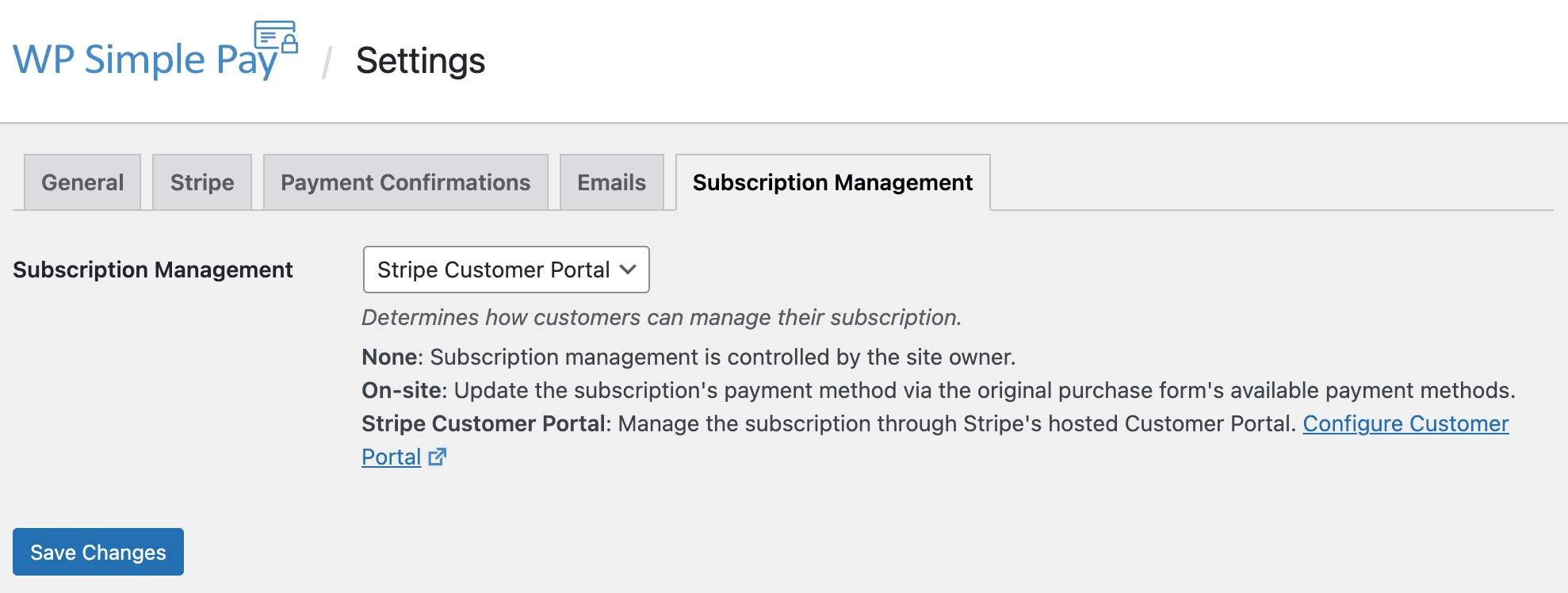
Después de configurar el portal en el Panel de Control de Stripe, estará listo para configurar Simple Pay para usarlo. El proceso paso a paso se describe a continuación. En WP Simple Pay → Ajustes → Gestión de Suscripciones seleccione Portal de Clientes de Stripe en el menú desplegable y Guarde los Cambios.
A continuación, querrás configurar el recibo de pago en WP Simple Pay → Ajustes → Correos electrónicos → Recibo de pago (ya sean los correos electrónicos de Suscripción o Suscripción con prueba). Asegúrate de añadir la etiqueta de plantilla {update-payment-method-url}.
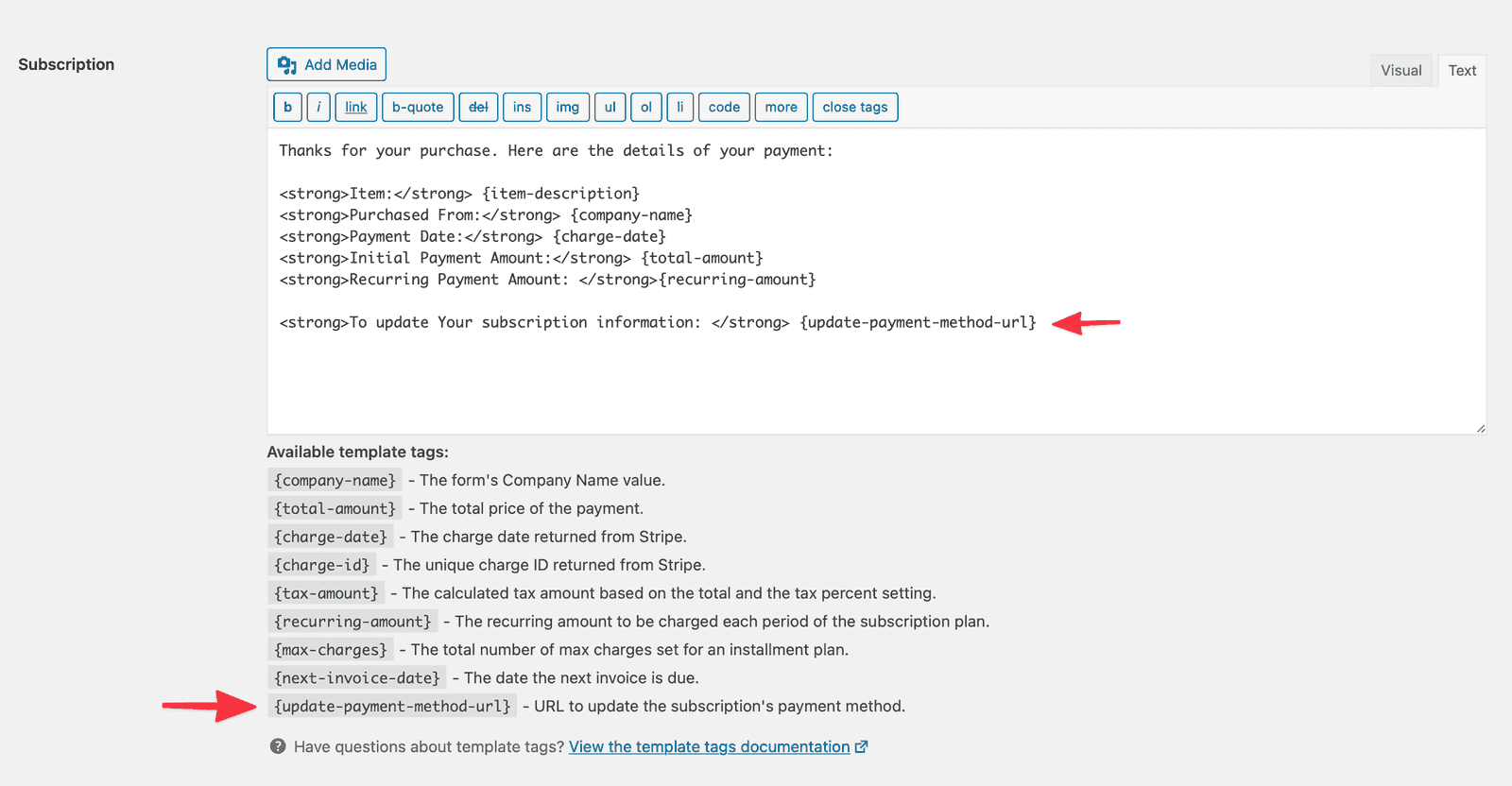
Opcionalmente, puedes decidir enviar el correo electrónico de Próxima factura en WP Simple Pay → Ajustes → Correos electrónicos → Próxima factura, al que también debes añadir la etiqueta de plantilla {update-payment-method-url}. Si decides hacer esto, necesitas deshabilitar el correo electrónico generado por Stripe sobre las próximas renovaciones en el panel de control de Stripe:
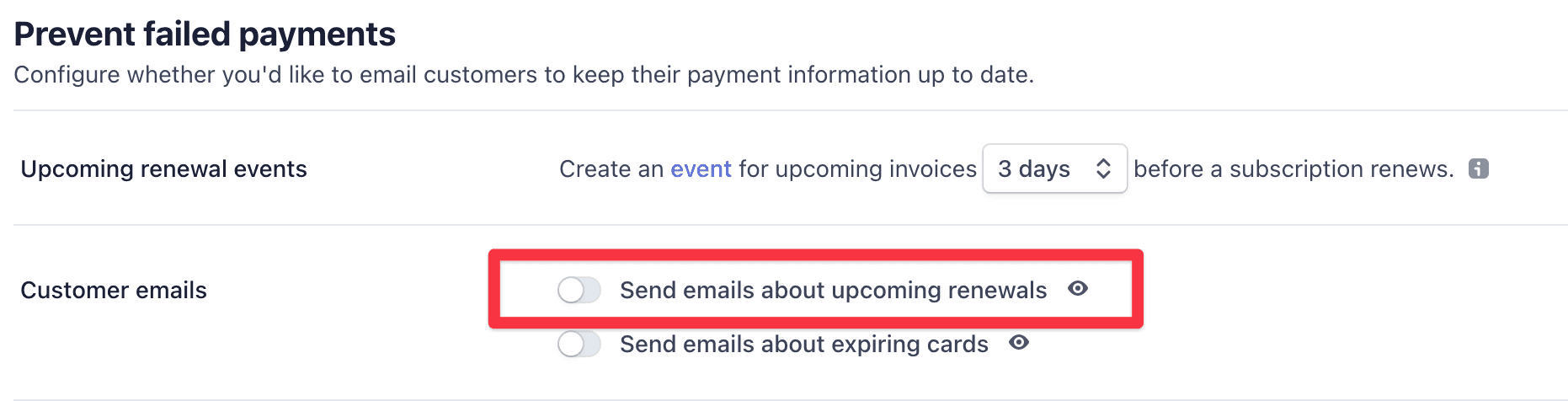
Cuando está habilitado, el correo electrónico de Factura Próxima se envía a la dirección de correo electrónico utilizada originalmente por el cliente al completar el pago. Este correo electrónico se activa en función de la configuración "evento de renovación próxima" en el Panel de Stripe.
¿Todavía tiene preguntas? ¡Estamos aquí para ayudarle!
Última modificación: