
How to Sell Multiple Items at Once
In This Document
A purchase form allowing your customers to purchase multiple line items offers significant convenience and flexibility. It allows them to add multiple items with different quantities in one transaction, saving time, reducing effort, and reducing churn. Additionally, it encourages higher average order values by enabling customers to buy more items in a single transaction.
Purchasing multiple one-time items at once uses Stripe Invoices (billed separately by Stripe) to create easy-to-read, separate line items, rather than a single lump sum.
Changing the Purchase Mode
To sell multiple line items simultaneously, you must enable the setting in the Payments tab of the payment form editor.
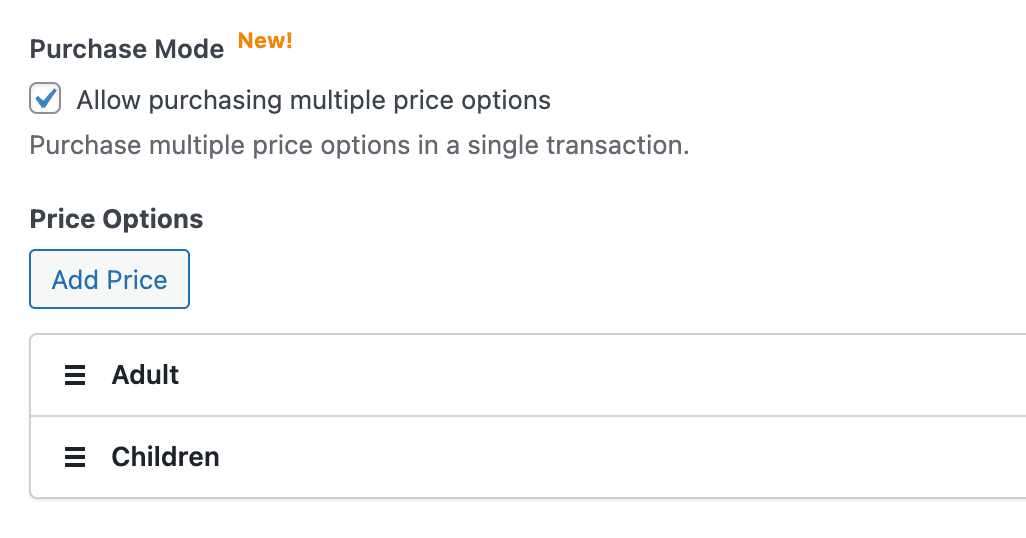
“Allow purchasing multiple price options” works with the following payment methods:
Cards
ACH Direct Debit
SEPA Direct Debit
Bacs Direct Debit
Cash App
Configuring Price Option Settings
Once enabled, each Price Option can be configured to allow optional purchase settings, as shown below. To do so, enable the checkbox next to the optional setting you wish to use, then click the Configure icon to the right of the respective settings.
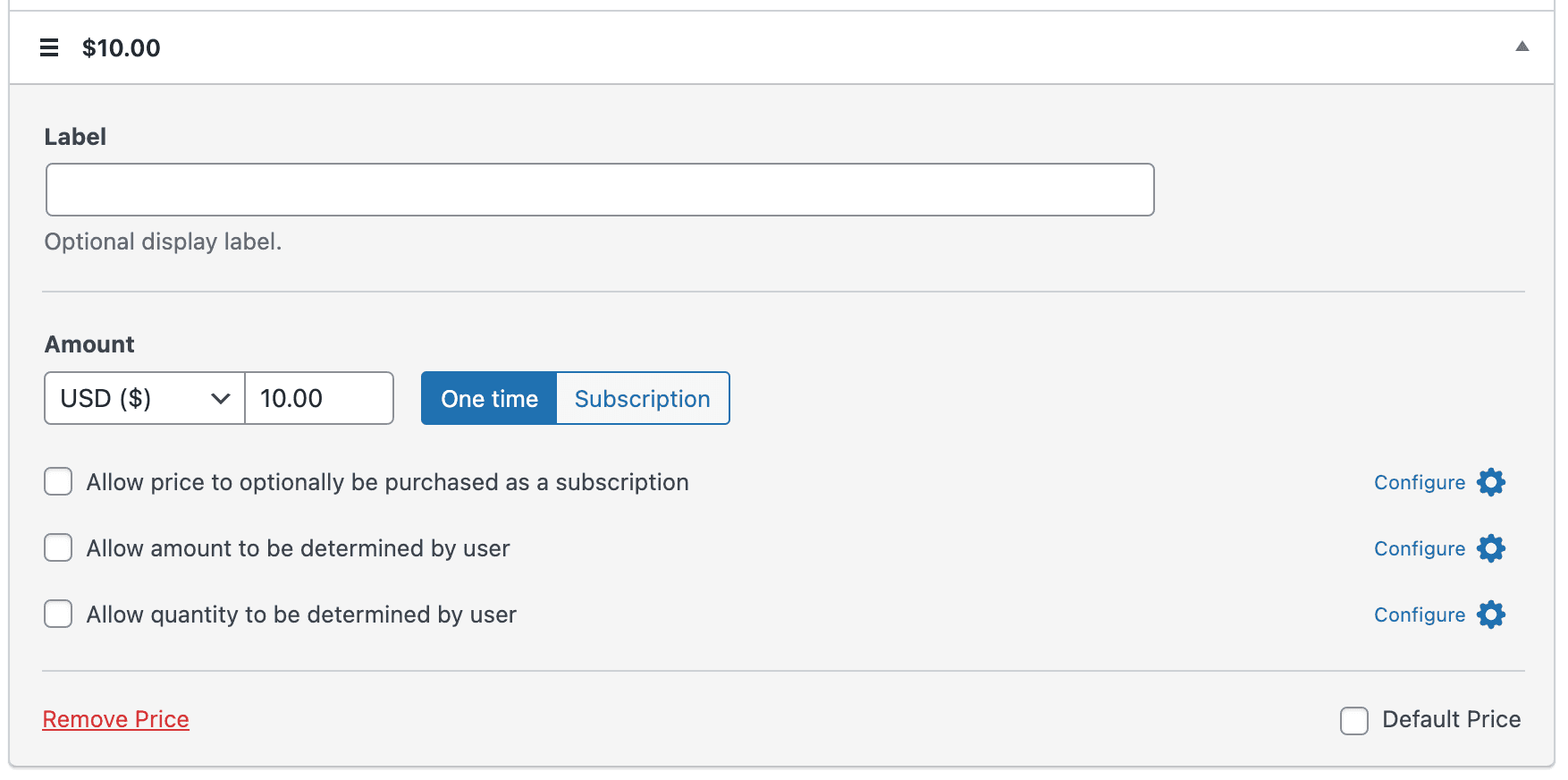
One-time and recurring line items can be purchased at the same time as long as the billing intervals are the same, i.e monthly or yearly.
All line items must share the same currency.
Price Option Settings
Allow Price to optionally be purchased as a subscription
Billing Period
Determines the billing cycle—the interval of payments—for the price option.
Installment Plan
This determines if the subscription payments should be canceled after a set number of invoices/payments. The number entered should include the initial payment.
Free Trial
The number of days before subscription billing begins.
Setup Fee
An amount is added to the initial invoice payment but not subsequent invoices.
Allow amount to be determined by the user
Minimum Amount
Set a minimum amount based on the expected payment amounts you will receive.
Allow quantity to be determined by the user
Label
A text label that appears above the field.
Minimum
Sets the minimum number of items that can be purchased.
Maximum
Sets the maximum number of items that can be purchased.
Multiple Line Item Form Configuration Examples
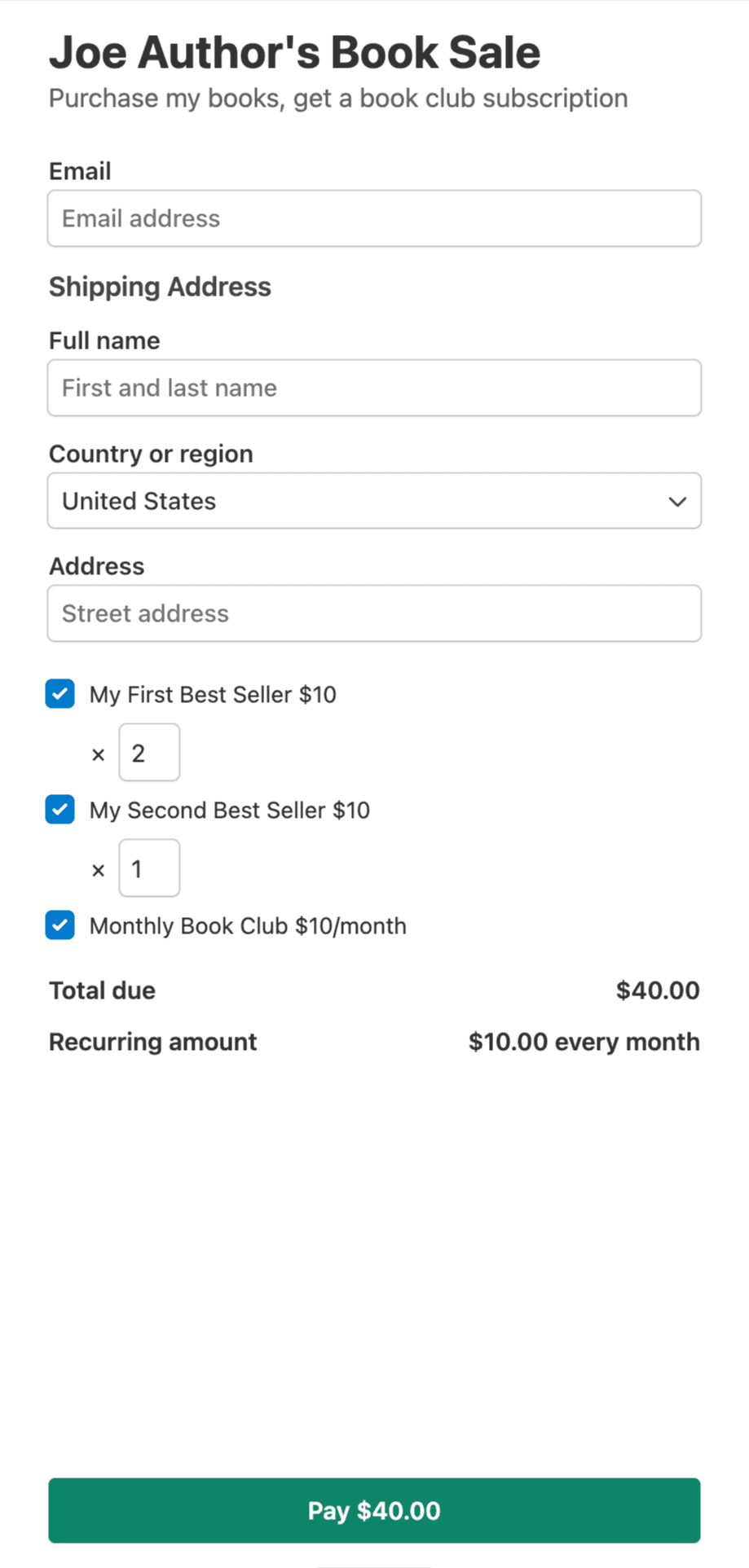
One-Time Purchases and Monthly Book Club
In this example, the customer can purchase one or both of the author’s books in various quantities. They can also purchase a monthly book club membership.
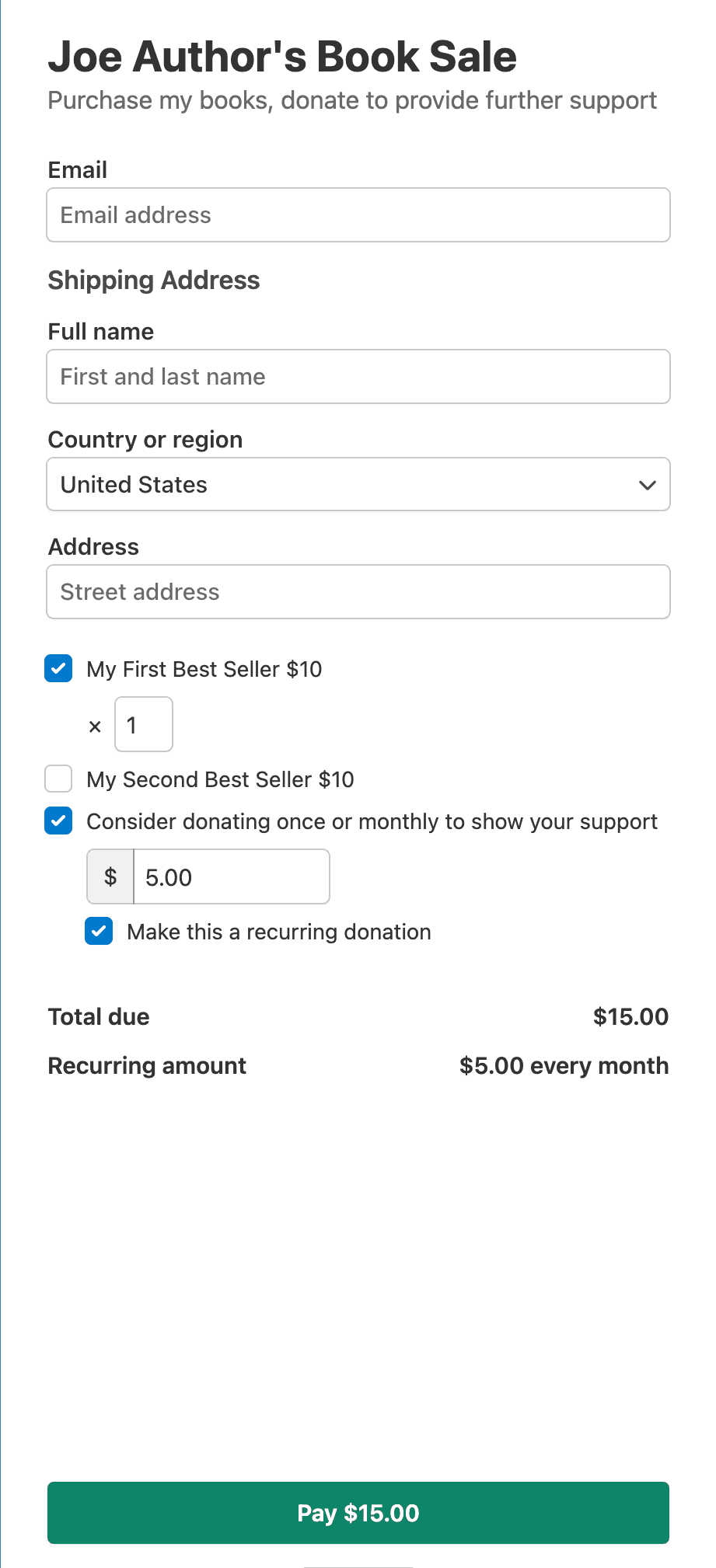
One-Time Purchases and Optionally Recurring Monthly Donation
In this example, the customer can purchase one or both of the author’s books in various quantities. They can also support the author with a one-time or recurring donation.
Still have questions? We're here to help!
Last Modified: